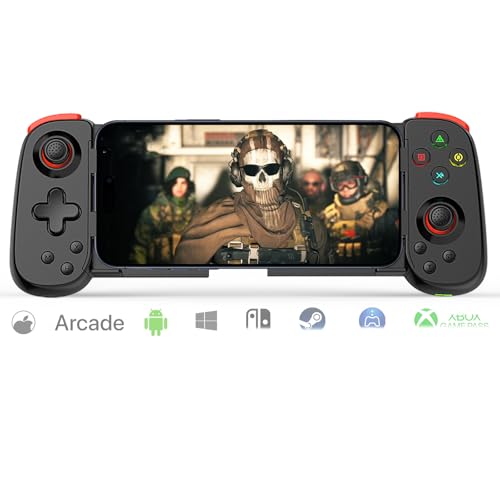
arVin Mobile Game Controller for iPhone 16/15/14/iPad/Galaxy S24/23/22/Android Phone/Tablet, Wireless Gamepad for Xbox Cloud Gaming/PS Remote Play/Call of Duty Warzone Mobile/Genshin/Roblox/Diablo
In stock
Price on Amazon
Check today's price on Amazon
No score yet
We've only just started checking this product's price. Its Deal Score appears after a few more checks.
We may earn a commission if you buy. It never changes the price you pay.
Product overview
CategoryGamepads & Standard Controllers
Key features
- Compatible With Multiple Devices: This mobile gaming controller for iOS 13.0+, android 6.0+ and win7.0+systems. Support Bluetooth direct connection to iPhone/iPad/Macbook, Android phone/Samsung Galaxy/Galaxy Note/One-plus/TCL/H-uawei/O-ppo/M-otorola/tablet/PC, compatible with Nintendo Switch/Switch OLED/Switch Lite
- Turn Your Mobile Phone into A Gaming Console: Mobile game controller supports streaming PS5/PS4, Xbox one/Xbox Series S/X and PC consoles via PS Remote Play APP, X box APP and Steam Link App. (For PC:Download ‘Steam’ from PC. the LAN to which your phone and the PC are connected must be the same.)
- Play Virtually Any Game, Anywhere: This iPhone game controller supports playing cloud games, emulator games/app store controller games including Call of Duty Mobile(CODM), Call of Duty: Warzone Mobile, Genshin Impact, Minecraft, Sky: Children of Light, Diablo Immortal, Asphalt 9/8 etc
- 3-Level Turbo Function:The gamepad for Android /iOS supports 3-speed Turbo mode adjustment and you can set A/ B/ X/ Y/ LT/LB/RT/RB/cross key for auto Turbo function, which makes it easier for you to win in shooting and fighting games
Show all 5 featuresShow fewer
- ABXY Key-Value Switching and LED Control: This switch pro controller supports ABXY Key Value Interchange. If you find that the ABXY buttons in the game are the opposite of the controller, press 'A+Y+H' or 'A+Y+M' or 'A+Y+X-input' to switch the ABXY key values from the Xbox mode setting to the Switch mode setting. You can hold down ‘L3’ key, then click ‘TURBO’ key to On/Off light
Specifications
| Compatible Devices | Android, IOS, Nintendo Switch, PC, Playstation 4 |
|---|---|
| Controller Type | Mobile Game Controller |
| Connectivity Technology | Bluetooth |
| Additional Features | Ergonomic, Multiuse, Wireless |
| Button Quantity | 17 |
| Hardware Platform | Android, Mac, Nintendo Switch, PlayStation 4, iOS |
| Power Source | Battery Powered |
| Compatible Video Game Console Models | Microsoft Xbox One, Microsoft Xbox SERIES S, Microsoft Xbox SERIES X, Sony PlayStation 4, Sony PlayStation 5 |