Find any Amazon.com product's deals and best prices with our free Amazon deal finder and price tracker. Simply paste the product link (URL) or search by name in the box above. You'll get full product information, Deal Score, and all current deals. Shop smarter with the best Amazon deals finder in the USA.
x
Sorry, Something went wrong!

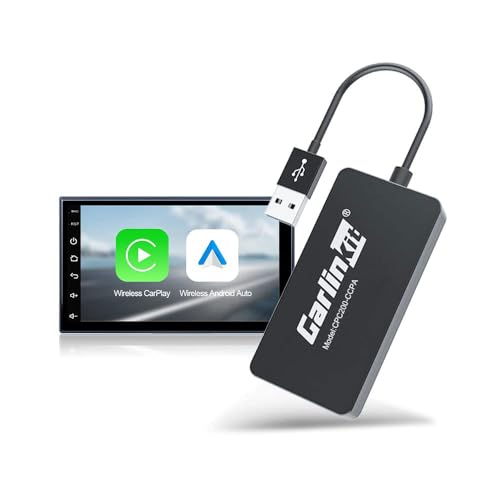

Carlinkit Wireless CarPlay USB Adapter CPC200-CCPA for Android Car Radios
✅ In stock
F
Grade
Price verified Nov 6, 2026 1:07 PM · Prices & availability subject to change
Is This a Good Price on Amazon?
💤 Not a Deal- 💤Verdict: Not a Deal. Price is at or above historical norms. Best to wait for a sale.
- ➡️Pricing has held fairly steady, with no strong push in either direction.
How We Scored This Deal
Price Competitiveness
0/28
Recent Value
0/22
Market Standing
0/20
Deal Strength
0/20
Momentum
0/10
📝 Product Overview
🏪 Sold by
CarlinKit Official
📦 Fulfillment
Fulfilled by Amazon
🚚 Shipping
Free Shipping
Product Details
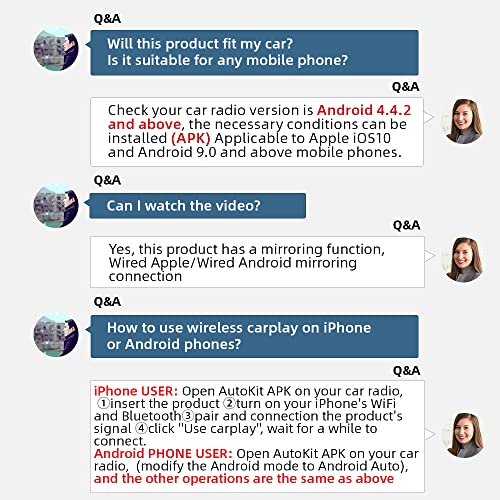
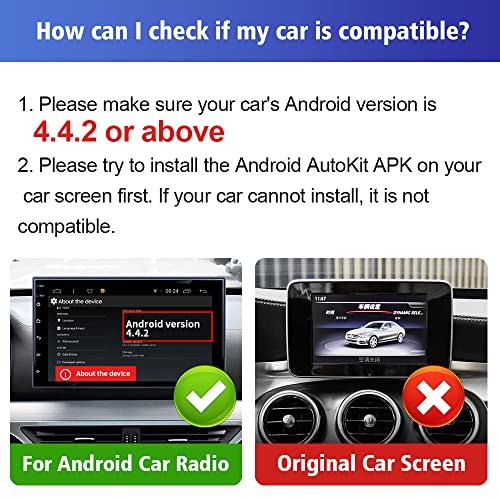
✓【Compatibility Requirements】:Only for Android car radio, only for Android version 4.4.2 or above, the APK must be successfully installed before using USB.
✓Notice Tips: This dongle is not available for cars that cannot install APK, not suitable for versions below Android 4.4.2, not suitable for cars that are not Android car radio.
✓【Upgraded Wireless CarPlay Adapter】:The Wireless CarPlay Adapter is compatible with Carplay/Android auto. Check your car radio version is Android 4.4.2 and above, Download the Autokit app to connect it, and the car radio will have the functions of a mobile phone.
✓【1,APK installation method】: APK needs to be installed before use 1. After inserting the product, it can be installed directly: Installation steps: After inserting the device into the car, wait for about 30s, the 'U disk icon' will appear at the top of the screen, open the ES browser or file manager to find '' BoxHelper APK '' and download it.
✓【2,APK installation method】: If the "U disk icon" does not appear after inserting the product please refer to the following steps 1. The mobile phone WIFI is connected to the box signal, the WIFI name is prefixed with "Auto", the WiFi password: '' 12345678 '' 2. Input in the browser of the mobile phone: "192.168.43.1" 3. Follow the prompts to enter information----restore to factory settings----wait for a few seconds, and the "U disk icon" will appear
✓【Compatible Devices】: for android radio cart, for iPhone with iOS 10 or above, for Android 11 Above models Phone, the phone needs to have Android Auto service installed
✓APK: h-t-t-p://121.40.123.198:8080/autokit/autokit.apk
⚙️ Specifications
Compatible Devices
Smartphone
Specific Uses For Product
Wireless CarPlay and Android Auto connectivity for Android car radios
Connector Type
USB
Color
Black
Item dimensions L x W x H
8.27 x 3.15 x 0.98 inches
Number of Ports
1
Power Plug Type
No Plug
Item Dimensions
8.27 x 3.15 x 0.98 inches
Item Weight
34 g
Unit Count
1 Count
Number of Items
1