Find any Amazon.com product's deals and best prices with our free Amazon deal finder and price tracker. Simply paste the product link (URL) or search by name in the box above. You'll get full product information, Deal Score, and all current deals. Shop smarter with the best Amazon deals finder in the USA.
x
Sorry, Something went wrong!
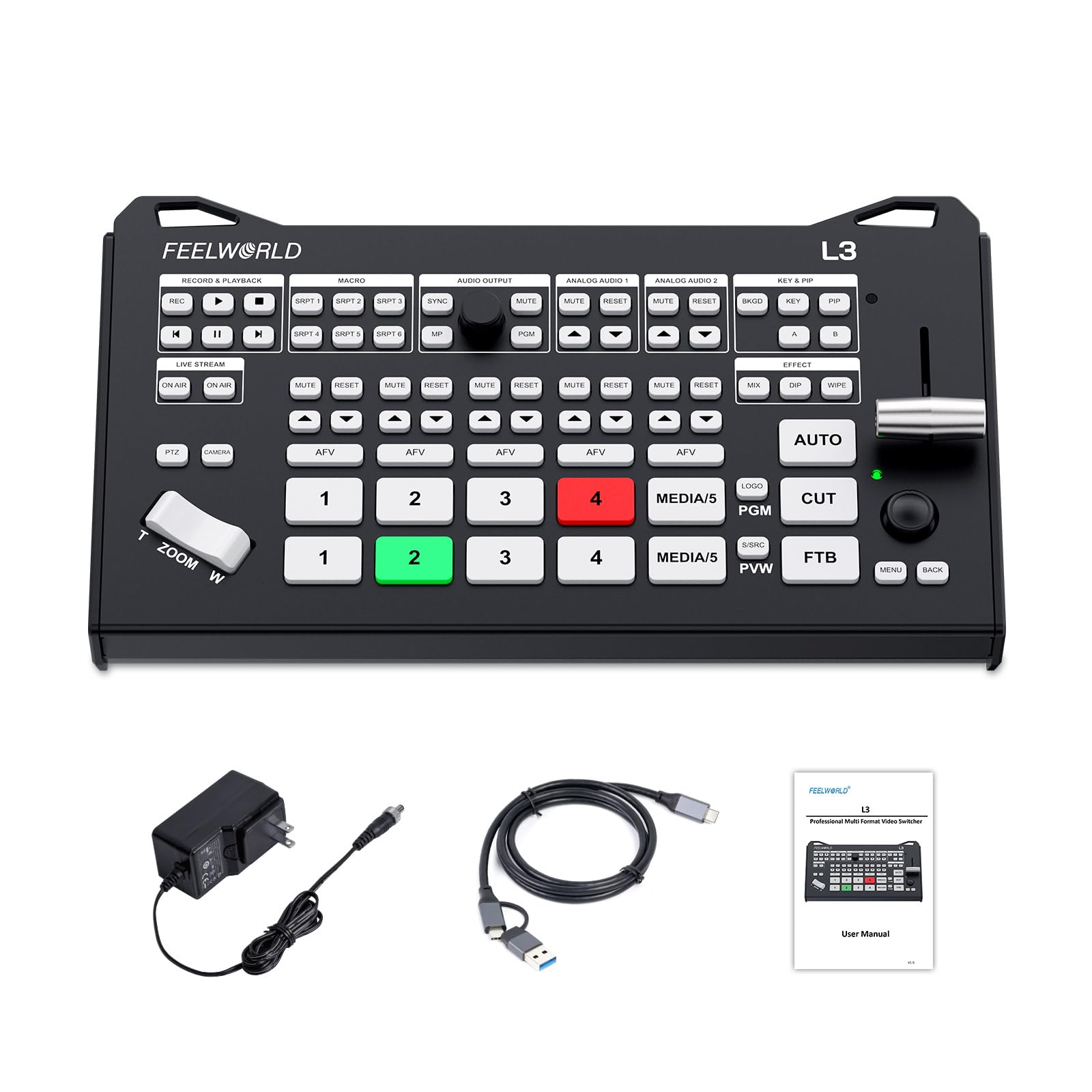

FEELWORLD L3 Video Switcher 4 HDMI Inputs PTZ Control, USB Recording
✅ In stock
F
Grade
⚠️ Price may have changed. Last updated 24+ hours ago — confirm on Amazon.
Check Deal at Amazon
Price verified Nov 9, 2026 8:21 PM · Prices & availability subject to change
Is This a Good Price on Amazon?
💤 Not a Deal- 💤Verdict: Not a Deal. Price is at or above historical norms. Best to wait for a sale.
- ➡️Pricing has held fairly steady, with no strong push in either direction.
How We Scored This Deal
Price Competitiveness
0/28
Recent Value
0/22
Market Standing
0/20
Deal Strength
0/20
Momentum
0/10
📝 Product Overview
🏪 Sold by
LAIZESKE Store US
📦 Fulfillment
Fulfilled by Amazon
🚚 Shipping
Free Shipping
Product Details
✓FLEXIBLE INPUTS FOR MULTI-CAMERA PRODUCTION: Connect compatible cameras and computers through 4 HDMI inputs—2 supporting up to 4K60 and 2 supporting up to 1080p60. Choose a UVC camera or media playback as the fifth source. Bring camera angles and presentation content together for interviews, church services and live events, with output up to 1080p60
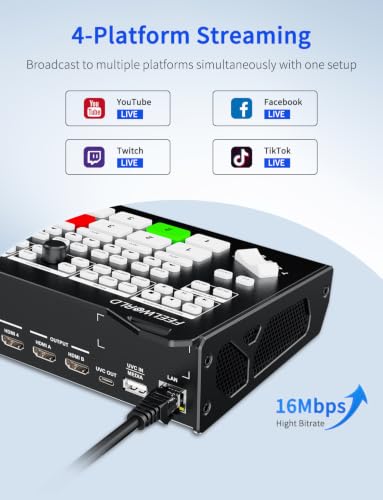
✓REACH UP TO 4 STREAMING DESTINATIONS: Stream to up to 4 RTMP/RTMPS destinations simultaneously over Ethernet after configuring your streaming URLs. Choose horizontal or vertical network output to suit your audience. Alternatively, connect the USB-C UVC output to a computer for streaming and conferencing with compatible software
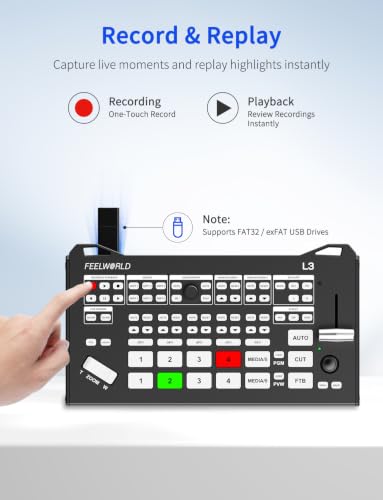
✓RECORD YOUR PROGRAM & PLAY BACK SAVED CONTENT: Save the program output as MP4 files to a FAT32 or exFAT USB drive using the dedicated REC button. Review recordings or select saved clips through the media input for playback. Capture lessons, presentations and live events for later sharing without a separate video recorder.
✓SHOW YOUR PRESENTER & CONTENT TOGETHER: Choose from 8 PIP layouts and adjust image size, position and cropping to display a speaker alongside slides, demonstrations or gameplay. Green/blue-screen chroma keying, luma keying and custom logo overlays help create branded presentations for online teaching, webinars and product livestreams
✓KEEP YOUR LIVE AUDIO UNDER CONTROL: Mix 7 audio channels, including 4 HDMI sources, media playback and 2 external 3.5mm MIC/LINE inputs. Adjust individual levels, mute unused sources and use Audio Follow Video to switch sound with the selected video. Monitor through headphones to check speech, presentation audio and music during production
✓CONTROL UP TO 4 COMPATIBLE PTZ CAMERAS: Use the onboard joystick and zoom control to adjust compatible IP VISCA PTZ cameras from your switching position. Connect up to 4 cameras on the same network segment and configure their IP addresses and ports. Manage different views of a stage, classroom or conference with fewer trips between camera positions
✓PREVIEW SHOTS & CONTROL EVERY TRANSITION: Connect HDMI A to an external multiview display to check sources, preview, program and audio levels, while HDMI B delivers the program feed. Use CUT, AUTO or the T-bar with 16 transition effects to control camera changes. Prepare the next shot before it goes live for more confident event production
⚙️ Specifications
Connector Type
HDMI
Brand
FEELWORLD
Compatible Devices
Monitor
Cable Type
HDMI
Number of Ports
6
Unit Count
1 Count
Manufacturer
LAIZESKE
Number of Packs
1
Item Highlight
4-Stream RTMP,Control 4 IP VISCA PTZ cameras,7-channel audio mixing,Great for teaching and webinars
Number of Items
1
Model Number
L3-LY-US