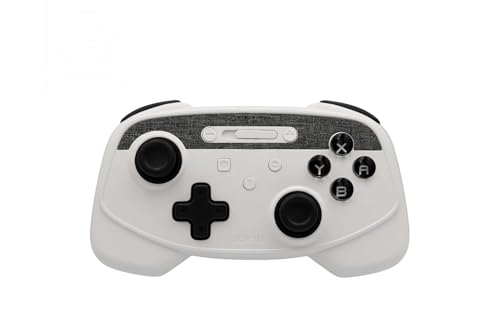
Jowua Multi-Device Wireless Controller, White
In stock
Price on Amazon
Check today's price on Amazon
No score yet
We've only just started checking this product's price. Its Deal Score appears after a few more checks.
We may earn a commission if you buy. It never changes the price you pay.
Product overview
CategoryGEM Box
Key features
- *IMPORTANT* Following Tesla’s 2024 37 software update, a Bluetooth connectivity issue has arisen, causing abnormalities when connecting controllers via Bluetooth. While Tesla has not yet resolved this problem, JOWUA controllers can still be used seamlessly by utilizing the following alternative connection methods:
- 1. Using Our Wireless USB Dongle Install the Wireless USB Dongle in the glovebox for a hassle-free connection. Detailed instructions can be found in the controller manual under the “How to Pair” section on the Wireless USB Dongle page. 2. Switching to S Mode (Switch Mode) Set the controller to S Mode to connect via Bluetooth.
- Support Multi-gaming Platform And Device Easily pair and connect with multiple devices and switch between them with the “Multi-Device Switch.”
- Enhance Gaming Experience Designed to take your gaming experience to the next level with powerful dual motor vibration, built-in six-axis gyro sensor, and AUTO-burst functionality.
Show all 5 featuresShow fewer
- No More Low-Battery Anxiety Built-in 600mAh rechargeable battery supports USB-C cable charging and playing at the same time.
Specifications
| Compatible Devices | Android, Nintendo Switch, Nintendo Switch, PC, Mac, Linux, Unix, Android, iOS, Windows |
|---|---|
| Controller Type | Gamepad |
| Connectivity Technology | Bluetooth |
| Additional Features | Multiuse, Wireless |
| Button Quantity | 5 |
| Hardware Platform | Android, Nintendo Switch, PC/Mac/Linux/Unix, iOS |
| Power Source | Battery Powered |
| Compatible Video Game Console Models | Nintendo Switch |