Find any Amazon.com product's deals and best prices with our free Amazon deal finder and price tracker. Simply paste the product link (URL) or search by name in the box above. You'll get full product information, Deal Score, and all current deals. Shop smarter with the best Amazon deals finder in the USA.
x
Sorry, Something went wrong!

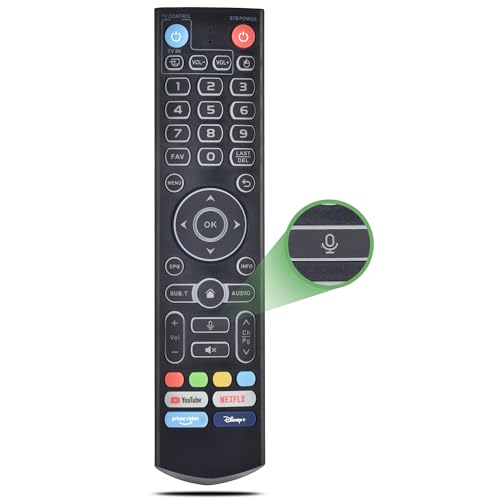
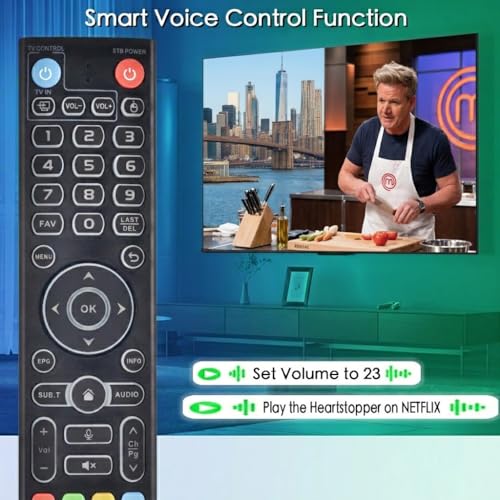
Replacement Intelligent Voice Backlit Remote for vSeeBox V5 Pro/V3 Plus/Pro
✅ In stock
D
Grade
Analysis Confidence
100%
⚠️ Price may have changed. Last updated 24+ hours ago — confirm on Amazon.
Check Deal at Amazon
Price verified Aug 31, 2026 4:40 PM · Prices & availability subject to change
Is This a Good Price on Amazon?
😐 Weak Deal- 😐Verdict: Weak Deal. Marginal discount. Prices may drop further soon.
- 💰The price is modestly below what this product ordinarily sells for.
- 🏷️The listed retail price is trimmed by 12% at checkout.
- 📉Better-priced windows have occurred before, though not frequently — today's price is reasonably competitive.
- ➡️Pricing has held fairly steady, with no strong push in either direction.
How We Scored This Deal
Price Competitiveness
6.89/28
Recent Value
4.6/22
Market Standing
13.56/20
Deal Strength
1.5/20
Momentum
4/10
📝 Product Overview
🏪 Sold by
VIVCASE Official
📦 Fulfillment
Fulfilled by Amazon
🚚 Shipping
Free Shipping
Product Details
✓【How to use the TV control Keys】1) Press and hold [TV POWER] key for 5 seconds. the LED goes from blinking to solid and STB Remote control unit(RCU) enters Learning Mode. 2) Press the key to be programmed on this RCU. LED begins blinking slowly. The key is ready to accept programming. 3)Aim the TV RCU towards the front of this RCU(distance less than 3cm) Press the button on the TV RCU. If the STB RCU is programmed correctly, the LED will flash 3 times. 4)Repeat steps 2-3 for other keys and Exit learning mode by pressing any other button on this RCU. LED turns off
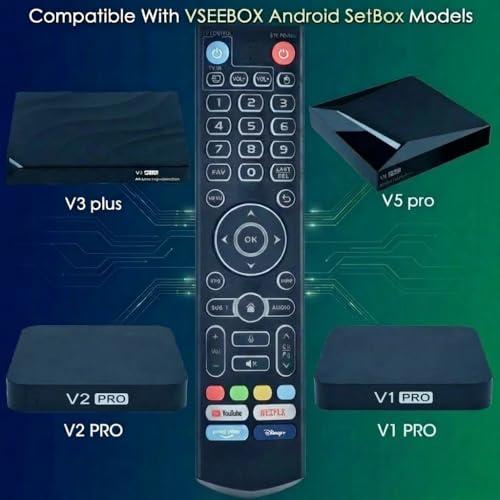
✓【Compatible Box Series and Remote】This is V3 Pro It works with the following models, for vSeeBox V5 Pro / V3 Plus/V3 Pro / V2 Pro / V1 Pro/V1 Max/Elite/Max. Tips: V1 Max, V1 Pro, V2 Pro (No Voice Command Feature). Please make sure your box model is in the above list
✓【Easy to Pair V3 Pro to V1 Pro/V2 Pro/Max/Elite】Press and hold the OK and VOL- keys at the same time for 5s,until the remote control indicator light continues to flash, which means the Bluetooth of the V3 remote control is enabled. Pair the remote control under System Settings - Bluetooth - Pair New Device, find the vseebox remote control, and connect to the vseebox. (If it is not found, it may be that Bluetooth is not turned on. Please press and hold the OK and vol- keys on the remote control at the same time to turn on Bluetooth)
✓【Two working modes】V3 working mode and V2 working mode. Press and hold the number key 5 for more than 10 seconds and the indicator light flashes, indicating that the mode switch is successful. V3 Pro working mode is applicable to V3 Pro; V2 Pro working mode is applicable to V1 Pro/V2 Pro/Max/Elite.(Note: Vseebox V3 remote control defaults to V3 working mode)
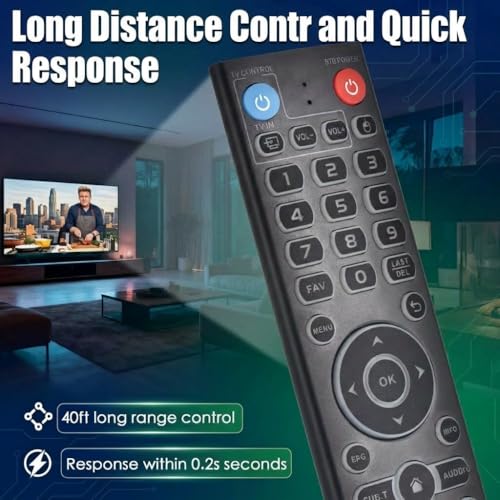
✓【Long working range and fast reponse】Strongest signal by Infrared technology, our remote controls feature with over 10 meters/32 feet farther transmitting distance and come with sensitive button, fast response not over 0.2s. The buttons have been tested to support over 100,000 clicks
⚙️ Specifications
Brand
VIVCASE
Special Feature
Ergonomic
Color
Black 04
Max Number of Supported Devices
1
Compatible Devices
Television
Package Dimensions
11.54 x 3.15 x 0.98 inches
Item Weight
3.2 ounces
ASIN
B0G1SQ15X1
Item model number
for vSeeBox Remote
Batteries
2 AAA batteries required.
Customer Reviews
4.2


