Find any Amazon.com product's deals and best prices with our free Amazon deal finder and price tracker. Simply paste the product link (URL) or search by name in the box above. You'll get full product information, Deal Score, and all current deals. Shop smarter with the best Amazon deals finder in the USA.
x
Sorry, Something went wrong!
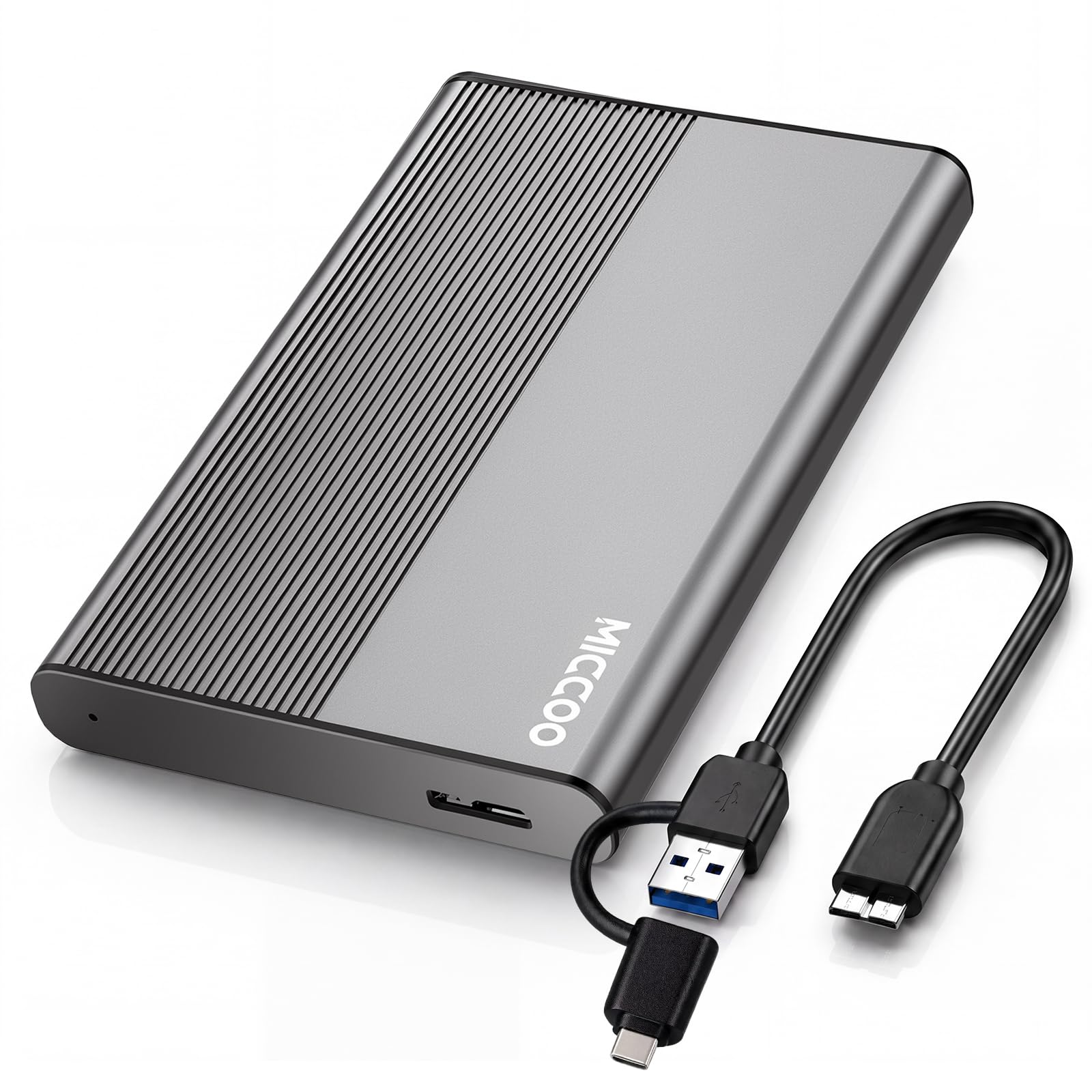
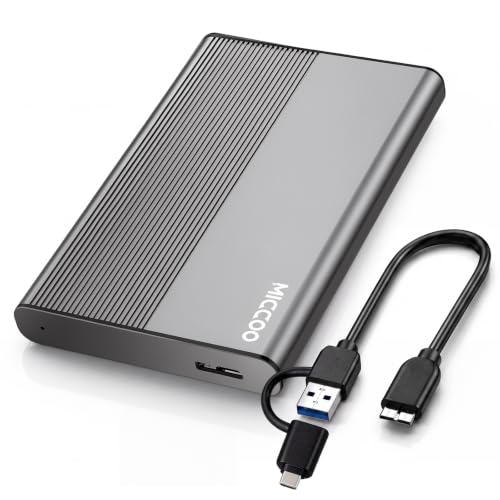

500GB External Hard Drive HDD, USB 3.0 Portable Expansion Storage
✅ In stock
F
Grade
⚠️ Price may have changed. Last updated 24+ hours ago — confirm on Amazon.
Check Deal at Amazon
Price verified Oct 3, 2026 3:56 AM · Prices & availability subject to change
Is This a Good Price on Amazon?
💤 Not a Deal- 💤Verdict: Not a Deal. Price is at or above historical norms. Best to wait for a sale.
- ➡️Pricing has held fairly steady, with no strong push in either direction.
How We Scored This Deal
Price Competitiveness
0/28
Recent Value
0/22
Market Standing
0/20
Deal Strength
0/20
Momentum
0/10
📝 Product Overview
🏪 Sold by
UMI INTL
📦 Fulfillment
Fulfilled by Amazon
🚚 Shipping
Free Shipping
Product Details
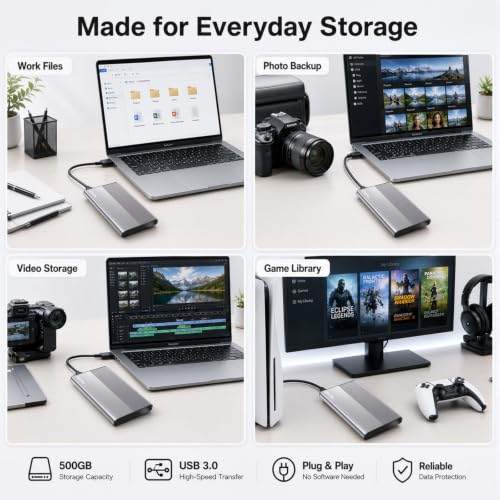
✓[500GB Portable External Hard Drive | Extra Storage Expansion for Daily Files] Our MICCOO 500GB external hard drive provides extra space for photos, HD videos, music, documents and downloads. Keep everyday files organized and free up your laptop’s internal storage. A convenient portable storage solution for home, office, school and travel.
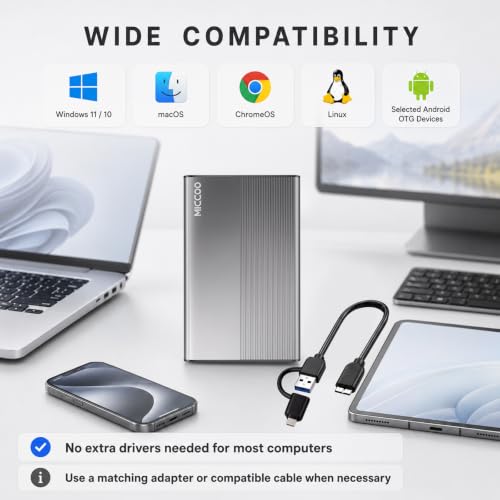
✓[USB-A & USB-C Connection | Cable, Adapter & User Manual Included] Includes one portable hard drive, one USB 3.0 Micro-B to USB-A cable, one USB-A to USB-C adapter and one user manual. Connect the Micro-B end to the drive and the USB-A end to your computer. For USB-C devices, attach the included adapter to the USB-A end first. USB powered with no separate power adapter needed. Most computers require no additional driver installation; file system requirements vary by device.
✓[First-Time Use | How to Find Your Connected Drive] After connecting, allow your computer time to recognize the drive, then open File Explorer > This PC on Windows or Finder > Locations on Mac. A window may not open automatically. Open the drive to copy and paste your files. If it does not appear, check that all connectors are fully inserted, then try another USB port directly on your computer, a compatible data cable or another computer.
✓[Windows & Mac Compatibility | NTFS Format & Mac Writing Tips] Pre-formatted in NTFS for reading and writing on Windows 11/10. macOS can normally read NTFS drives but cannot write to them by default. For file sharing with read and write access on both Windows and Mac, back up existing files and reformat to exFAT. Formatting erases all data on the drive. ChromeOS and Linux are also supported, with access depending on the operating system and file system support.
✓[5400 RPM HDD | USB 3.0 Transfer & Stable Power] Built with a 5400 RPM mechanical HDD and USB 3.0 connectivity for everyday file transfers and backups. Connect directly to a USB 3.0 or higher data port for consistent power and transfer performance. Avoid unpowered USB hubs, which may cause detection problems or interrupted connections. Actual transfer speeds vary with your device, connection and file sizes.
✓[PS4 & Xbox External Storage | Console Setup Required] Expand storage on supported PS4 and Xbox consoles. Connect the drive directly to your console and follow its USB storage or storage settings to complete setup. The supplied NTFS format may need to be changed for your console and intended use. Game storage, media playback and system backups can have different format requirements. Back up existing files before console formatting, as this erases the drive. Available functions vary by console model.
✓[Selected Android OTG Devices | Check Compatibility Before Use] Works with selected Android phones and tablets that support USB OTG and can supply enough power for an external HDD. Compatibility also depends on the device model, operating system and supported file formats. An additional device-specific OTG adapter or cable may be required and is not included. Use your device’s file manager to copy, move or back up files, and verify that transfers are complete before deleting the originals from your phone.
⚙️ Specifications
Digital Storage Capacity
500 GB
Hard Disk Interface
USB 3.0
Connectivity Technology
USB
Brand
MICCOO
Special Feature
LED Light, Portable
Hard Disk Form Factor
2.5 inches
Hard Disk Description
Mechanical Hard Disk
Compatible Devices
Desktop, Laptop, Smartphone, Tablet, Television
Installation Type
External Hard Drive
Color
Gray
Additional Features
LED Light, Portable