Find any Amazon.com product's deals and best prices with our free Amazon deal finder and price tracker. Simply paste the product link (URL) or search by name in the box above. You'll get full product information, Deal Score, and all current deals. Shop smarter with the best Amazon deals finder in the USA.
x
Sorry, Something went wrong!

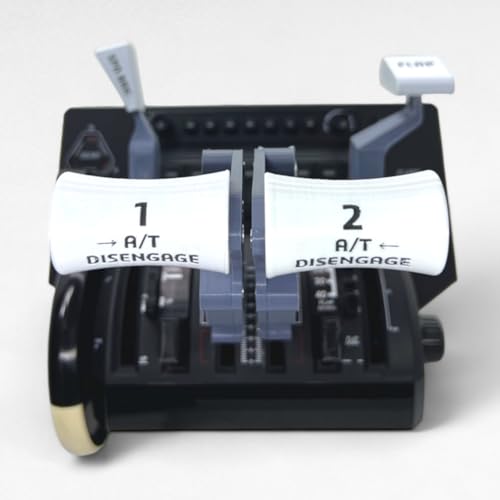
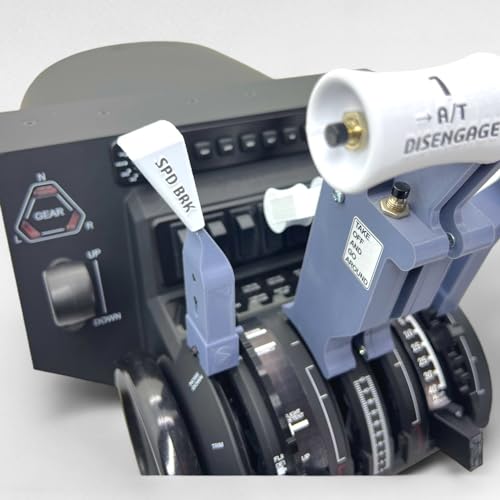
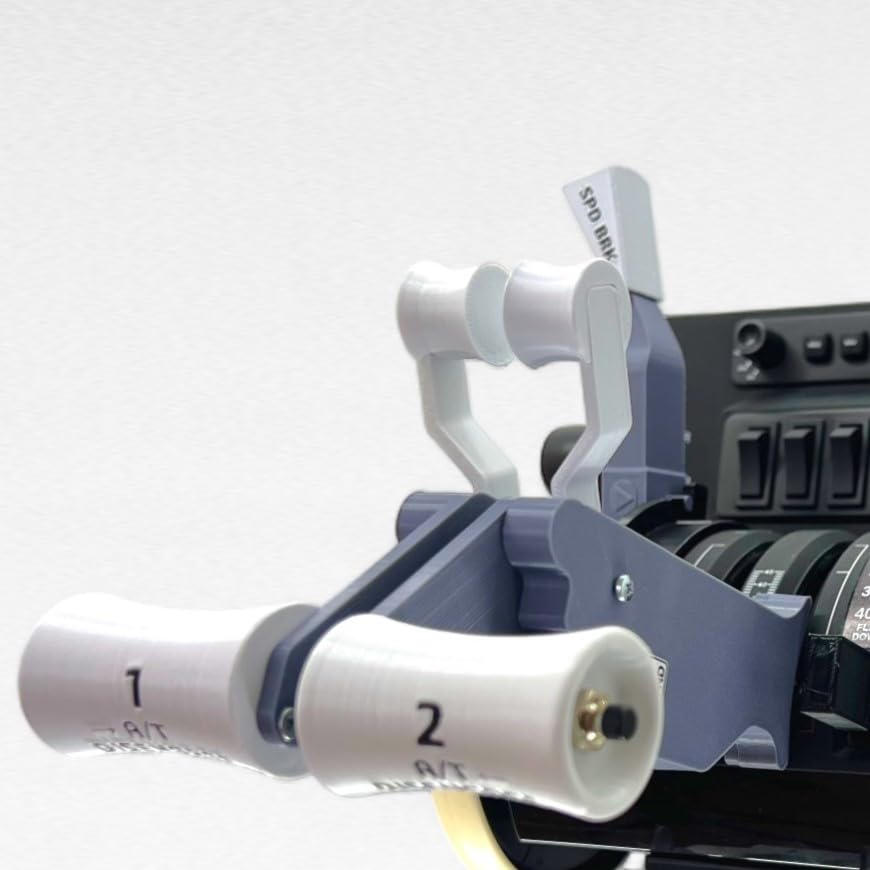
B737 Functional Thrust Lever Set For Honeycomb Bravo Throttle Quadrant
✅ In stock
⭐ Lowest price we've tracked
F
Grade
Analysis Confidence
95%
⚠️ Price may have changed. Last updated 24+ hours ago — confirm on Amazon.
Check Deal at Amazon
Price verified Sep 29, 2026 3:40 AM · Prices & availability subject to change
Is This a Good Price on Amazon?
💤 Not a Deal- 💤Verdict: Not a Deal. Price is at or above historical norms. Best to wait for a sale.
- 💰The current price sits right around what this item typically fetches.
- 🏷️The retail sticker price has been slashed by 51% — a steep markdown from the official listing.
- 📉Our analysis places this at the most competitive price point we have ever tracked for this product — an exceptional moment to buy.
- ➡️Pricing has held fairly steady, with no strong push in either direction.
How We Scored This Deal
Price Competitiveness
0/28
Recent Value
0/22
Market Standing
0/20
Deal Strength
20/20
Momentum
4/10
📝 Product Overview
🏪 Sold by
HomeCockpitBuilder
🚚 Shipping
Free Shipping
Product Details
✓This product is for the Honeycomb Bravo Throttle Quadrant. So you need to have a Honeycomb Bravo Throttle Quadrant. This product does not include a throttle quadrant.
✓After purchasing the product, the parts that will be shipped to you are as follows. (Products in the last photo.) 1x Left Thrust Lever 1x Right Thrust Lever 1x Flap Lever Set 1x Speedbrake Lever Set
✓Electronically working buttons in the product I designed; - Left A/T Disangage - Left TO/GA - Right Reverse The design of Honeycomb Bravo allows up to 3 buttons to work. You can also see the electronically working buttons in the last photo. * You can activate the buttons that do not have an electronic connection with the simulator software you use. *
✓The most asked question: ''Why only 3 buttons work? As I mentioned in the product description, the design of Honeycomb Bravo allows up to 3 buttons to work. Cannot operate any more buttons. I explained in detail which buttons work in the last photo of the product and in the description section.
✓Flap Lever Set: Equipped with a lift system, the flap lever operates by pulling it out and pushing it into the desired flap position. On the flap detent gate, there are stops at positions 1 and 15, mirroring those found in real aircraft. The gate stop at position 1 prevents premature retraction, maintaining control at lower speeds during emergency scenarios like single-engine Go-Around. Similarly, the gate stop at position 15 prevents inadvertent retraction during twin-engine Go-Around. Just like in real aircraft, deliberate engagement at these gate stops is necessary to proceed.
✓This product works in all flight simulators. - Microsoft Flight Simulator 2024- Microsoft Flight Simulator 2020 - Microsoft Flight Simulator X - Prepar3D - X-Plane 12 - X-Plane 11 - etc.
⚙️ Specifications
ASIN
B0F7LML63Q
Release date
May 2, 2025
Customer Reviews
3.2
Best Sellers Rank
See Top 100 in Video Games
Package Dimensions
8.66 x 5.91 x 4.72 inches; 1.32 Pounds
Item Weight
1.32 pounds
Manufacturer
Sierradelta3D
Date First Available
May 2, 2025
Brand Name
Generic
Hardware Platform
PC
Compatible Devices
Windows