Find any Amazon.com product's deals and best prices with our free Amazon deal finder and price tracker. Simply paste the product link (URL) or search by name in the box above. You'll get full product information, Deal Score, and all current deals. Shop smarter with the best Amazon deals finder in the USA.
x
Sorry, Something went wrong!


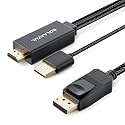
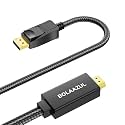
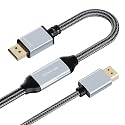
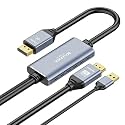
BolAAzuL HDMI 2.1 to DisplayPort Cable 8K@30Hz 4K@120Hz 2M
✅ In stock
F
Grade
⚠️ Price may have changed. Last updated 24+ hours ago — confirm on Amazon.
Check Deal at Amazon
Price verified Sep 27, 2026 11:06 PM · Prices & availability subject to change
Is This a Good Price on Amazon?
💤 Not a Deal- 💤Verdict: Not a Deal. Price is at or above historical norms. Best to wait for a sale.
- ➡️Pricing has held fairly steady, with no strong push in either direction.
How We Scored This Deal
Price Competitiveness
0/28
Recent Value
0/22
Market Standing
0/20
Deal Strength
0/20
Momentum
0/10
📝 Product Overview
🏪 Sold by
BolAAzuL STORE
📦 Fulfillment
Fulfilled by Amazon
🚚 Shipping
Free Shipping
Product Details
✓UNIDIRECTIONAL HDMI TO DISPLAYPORT CONNECTION: Connects your HDMI video source (PC, laptop, PS5, PS4 Pro, or Xbox Series X/S) directly to a DisplayPort monitor, TV, or projector. STRICTLY unidirectional: works only from an HDMI input to a DisplayPort output (Not bidirectional, cannot convert DP to HDMI)
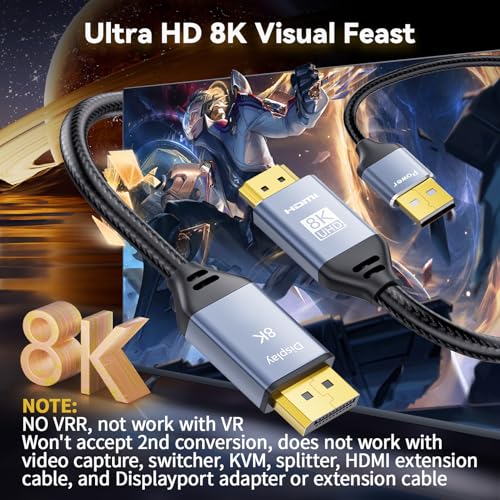
✓ULTRA HD 8K & HIGH REFRESH RATE SUPPORT: Supports resolutions up to 8K@30Hz, 4K@120Hz, 2K@144Hz when both source device and DisplayPort monitor support the same specifications. Delivering buttery-smooth motion and crystal-clear audio-video synchronization over a single cable, suitable for next-gen gaming and professional workstations
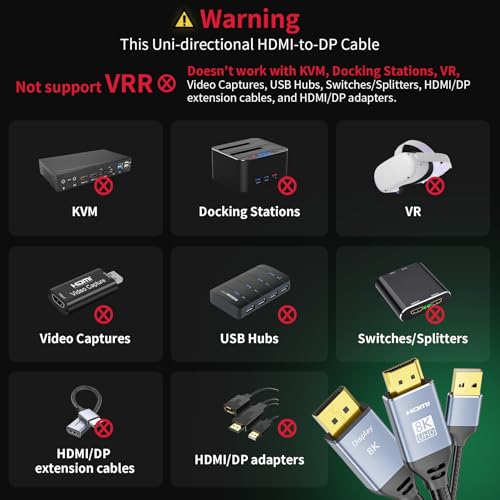
✓Important Usage Notes – This bypass cable Cannot downscale or upscale the resolutions and refresh rates. NOT support VRR, VR headsets, docking stations, video capture devices, adapters/switchers/splitters, KVM switches, or extension cables. HDMI and DP plugs must connect directly to the source and display. For more usage precautions regarding specific device models, please refer to the detailed description
✓USB POWERED & ROBUST BUILD: Constructed with premium nylon braiding, 24K gold-plated connectors for superior conductivity, and a generous 2-meter (6.6ft) length designed for desktop setups. Important: Requires an external 5V/1A or 2A power supply (not included) to operate. Plug the integrated USB connector into a wall charger (not included). Note: The active processing chip may generate normal operating heat during use
✓OPTIMIZED FOR CONSOLE GAMING: Compatible with PlayStation 5, PS4 Pro, Xbox Series X/S, desktop PCs, and laptops. For PS5 and PS4 Pro, outputs only standard HDTV 4K@60Hz (your monitor’s DP port must natively support 3840x2160@60Hz and HDCP 2.2; ultrawide monitors may default to 1080p). For Xbox Series X/S, achieving 4K@120Hz requires monitor DP support; if only 2K, cable not recommended (timing mismatch). Also, 4K/120Hz & 2K/144Hz (8K model) need HDMI 2.1 source and DP monitor to both support those resolutions. For PC/Laptop: Manually set resolutions via system display settings or GPU control panel (NVIDIA/AMD); only the 8K model supports refresh rates above 60Hz
⚙️ Specifications
Brand
BolAAzuL
Connector Type
Hdmi to Displayport
Cable Type
HDMI-to-Displayport
Compatible Devices
Gaming Console, Laptop, Monitor, Personal Computer, Television
Special Feature
Braided, Corrosion Resistant, High Speed, Tangle Free, Uni-Directional Only
Other Special Features of the Product
Braided, Corrosion Resistant, High Speed, Tangle Free, Uni-Directional Only
Connector Gender
Male-to-Male
Data Transfer Rate
16 gigabits_per_second
Number of Pins
20
Frequency
30 hertz
Connectivity Technology
Hdmi to Displayport