Find any Amazon.com product's deals and best prices with our free Amazon deal finder and price tracker. Simply paste the product link (URL) or search by name in the box above. You'll get full product information, Deal Score, and all current deals. Shop smarter with the best Amazon deals finder in the USA.
x
Sorry, Something went wrong!
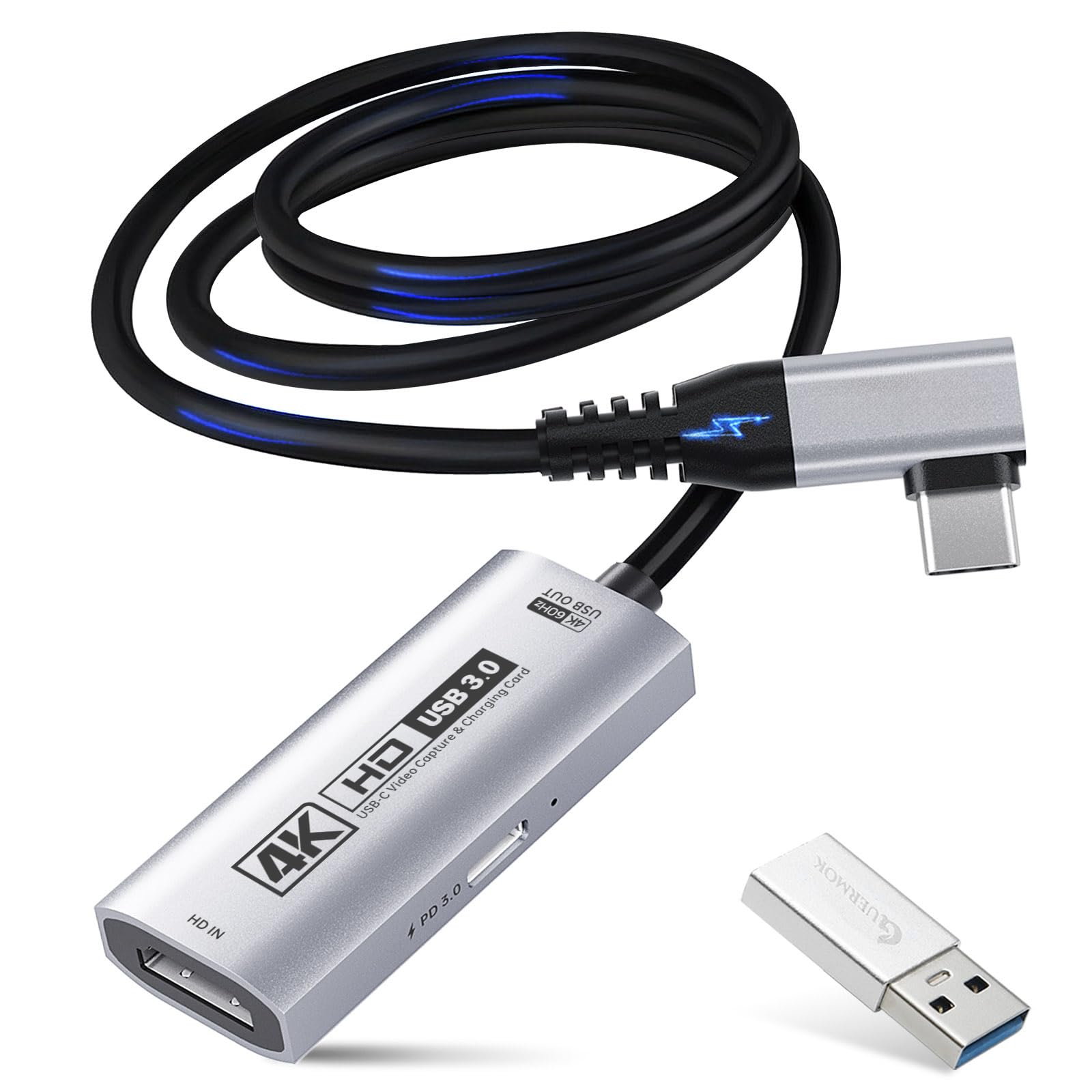
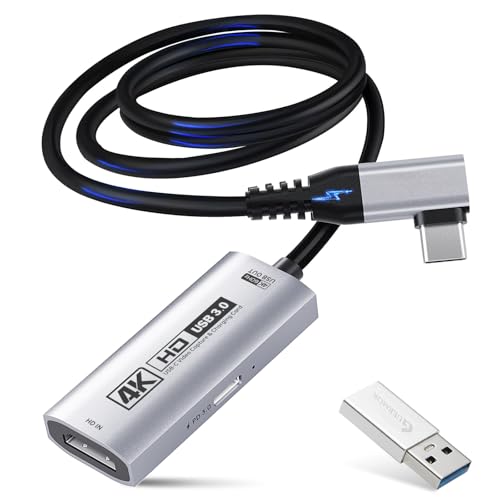
Guermok 4K USB3.0 HDMI Video Capture Card for Streaming, PD100W, 4K@60FPS
✅ In stock
F
Grade
Price verified Sep 4, 2026 11:38 AM · Prices & availability subject to change
Is This a Good Price on Amazon?
💤 Not a Deal- 💤Verdict: Not a Deal. Price is at or above historical norms. Best to wait for a sale.
- ➡️Pricing has held fairly steady, with no strong push in either direction.
How We Scored This Deal
Price Competitiveness
0/28
Recent Value
0/22
Market Standing
0/20
Deal Strength
0/20
Momentum
0/10
📝 Product Overview
🏪 Sold by
MokTok
📦 Fulfillment
Fulfilled by Amazon
🚚 Shipping
Free Shipping
Product Details
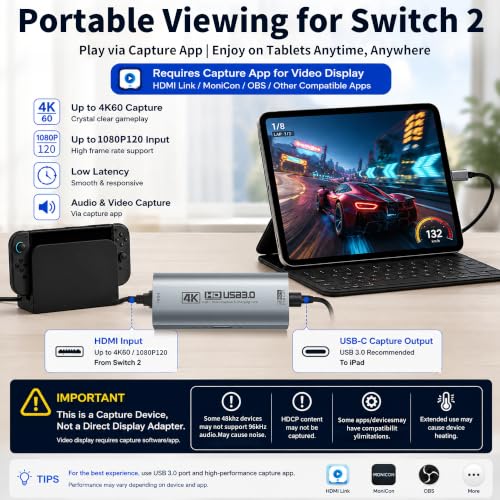
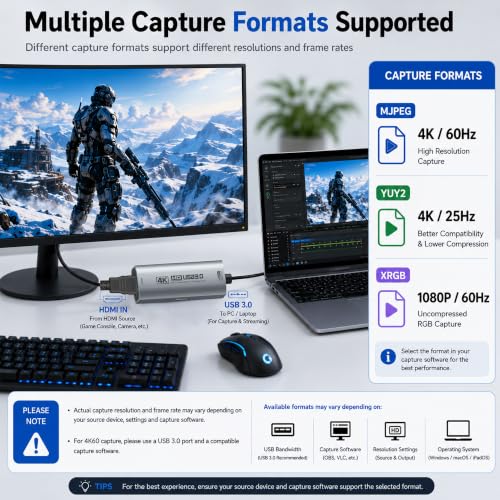
✓【4K Ultra HD 60FPS Capture with PD 100W Charging】Supports stunning 4K Ultra HD video capture at 60FPS via USB 3.0, delivering crystal-clear, vibrant, and highly detailed footage. This HDMI Video Capture Card features PD 100W USB-C charging passthrough to keep tablets, pads, and VR devices powered for uninterrupted, long-duration streaming and gameplay. MJPEG:4K/60HZ, YUY2:4K/25HZ, XRGB:1080P/60HZ. Note: For capture use only; requires capture software to function and is not intended for direct screen casting to a monitor or TV
✓【High Refresh Rate Input: 2K@120FPS & 1080P@120FPS】Handles high-frame-rate video input including 2560×1440@120FPS and 1920×1080@120FPS. Supports MJPEG, YUY2, NV12, and XRGB formats, providing smooth, detailed video capture for fast-paced games and dynamic content using a reliable HDMI to USB-C capture card. Please use a USB 3.0 or higher port to connect the device. USB 2.0 ports only support up to 1080P resolution. If the device still outputs 1080P when connected to a USB 3.0 or higher port, please rotate the capture card’s USB-C connector 180° and reconnect
✓【90° Right-Angle Design for VR & Mobile Comfort】The ergonomic 90° right-angle USB-C connector with a 3.3ft cable makes this 4K switch capture card perfect for VR headsets like Quest series and portable tablets, keeping cables out of the way for a more immersive experience
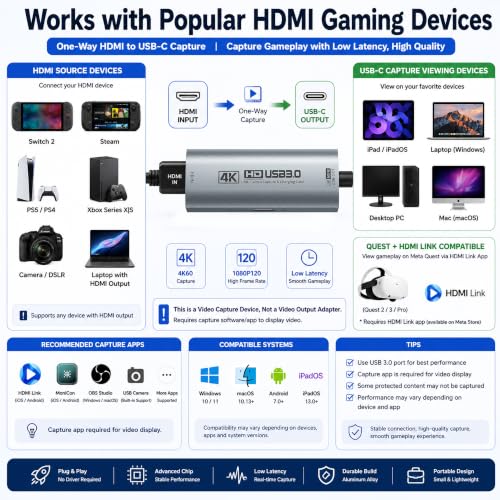
✓【Plug and Play for Streaming and Recording】No drivers or external power required—just plug in and start. Optimized for live streaming, online meetings, and real-time recording via OBS Studio, Streamlabs, Zoom, YouTube, Twitch, and more. Compatible with Windows, macOS, Linux, Android, and PadO
✓【Broad Device Compatibility for Multiple Setups】Works seamlessly with Switch/Switch 2, laptops, PCs, tablets, VR devices, cameras, and more. Suitable for VR gameplay capture, console streaming, and creative projects with smooth integration into any workflow. Charging is only supported via USB-C ports with power delivery capabilities. A 100W charger is needed for optimal charging speed. Mild heating is normal
✓【Note】This capture card supports one-way transmission (HDMI to USB-C). Video input via USB-C to HDMI conversion may cause signal loss due to cable protocol differences. If the PS5 shows a black screen, please disable HDCP. Use a USB 3.0 port whenever possible to ensure bandwidth and resolution. The capture card works through video decoding, which introduces millisecond-level latency, and different video formats (MJPEG, YUY2) support different resolutions. Signal loss may occur if the device disconnects; reconnect or restore default settings. To check if the capture card is functioning properly, connect the USB port to a computer or tablet and open your capture software to confirm detection
⚙️ Specifications
Brand
Guermok
Hardware Interface
HDMI, USB 3.0, USB 3.0 Type A, USB 3.0 Type C
Video Capture Resolution
1080p, 4K
Operating System
Mac Os, Windows 10, Windows 11
Recommended Uses For Product
Game Streaming, Image Capture, Live Streaming, Video Recording
Antenna Location
Game Streaming, Image Capture, Live Streaming, Video Recording
Other Special Features of the Product
Hdmi Input, Side-Bent HDMI Input, Extended Cable, Flexible Placement
Platform
Android, Meta Quest, Nintendo Switch, PlayStation 4, PlayStation 5, Steam Deck, Windows, Windows 11, Xbox, Xbox One, iOS
Tuner Type
ATSC
AV Output
MPEG-4, YUY2
Compatible Devices
Laptop, Quest3/3s, Switch, ipad, iphone


