Find any Amazon.com product's deals and best prices with our free Amazon deal finder and price tracker. Simply paste the product link (URL) or search by name in the box above. You'll get full product information, Deal Score, and all current deals. Shop smarter with the best Amazon deals finder in the USA.
x
Sorry, Something went wrong!
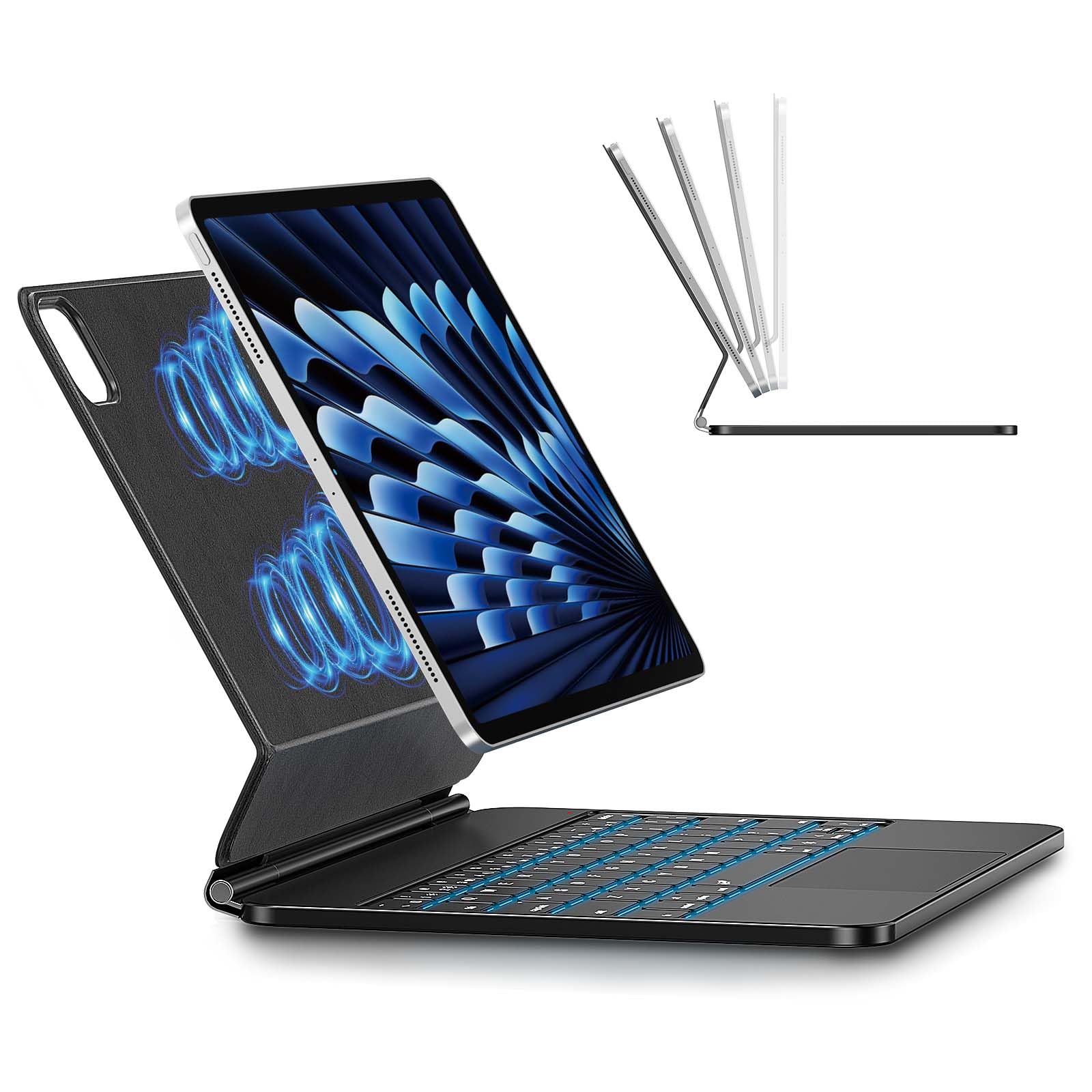
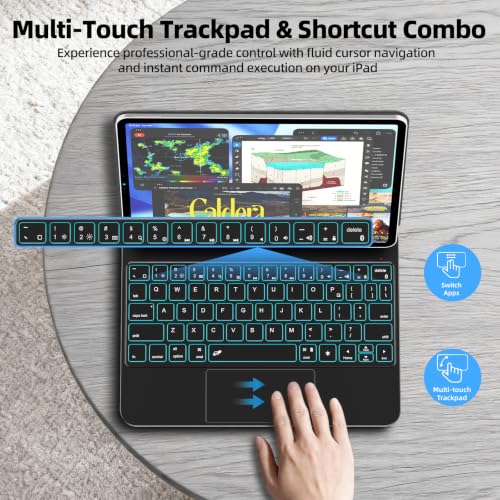
Keyboard Case for iPad Air 11-inch M4/M3/M2, Magnetic Stand, Trackpad
✅ In stock
F
Grade
🏷️ Price includes Coupon savings
⚠️ Price may have changed. Last updated 24+ hours ago — confirm on Amazon.
Check Deal at Amazon
Price verified Oct 17, 2026 3:13 PM · Prices & availability subject to change
Is This a Good Price on Amazon?
💤 Not a Deal- 💤Verdict: Not a Deal. Price is at or above historical norms. Best to wait for a sale.
- ➡️Pricing has held fairly steady, with no strong push in either direction.
How We Scored This Deal
Price Competitiveness
0/28
Recent Value
0/22
Market Standing
0/20
Deal Strength
0/20
Momentum
0/10
📝 Product Overview
🏪 Sold by
XUMENG KS
📦 Fulfillment
Fulfilled by Amazon
🚚 Shipping
Free Shipping
Product Details
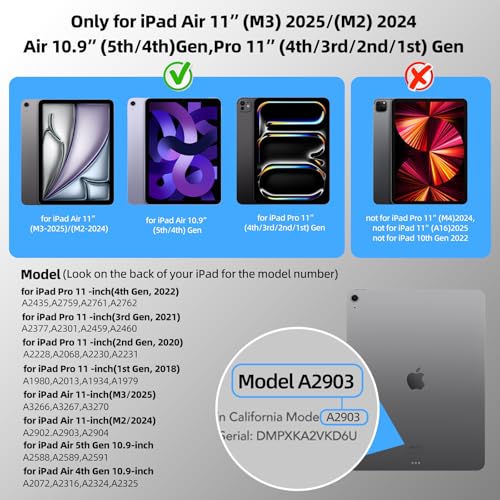
✓iPad Air Compatibility: iPad Air M4 11-inch Case with Keyboard for A3459/A3460/A3463; iPad Air M3 11-inch Case with Keyboard for A3266/A3267/A3270; iPad Air M2 11-inch Case with Keyboard for A2902/A2903/A2904; iPad Air 5th Generation Case with Keyboard for A2588/A2589/A2591; and iPad Air 4th Generation Case with Keyboard for A2072/A2316/A2324/A2325
✓iPad Pro 11 Compatibility: iPad Pro 11-inch 1st Generation Case with Keyboard for A1980/A2013/A1934/A1979; iPad Pro 11-inch 2nd Generation Case with Keyboard for A2228/A2068/A2230/A2231; iPad Pro 11-inch 3rd Generation Case with Keyboard for A2377/A2301/A2459/A2460; and iPad Pro 11-inch 4th Generation Case with Keyboard for A2435/A2759/A2761/A2762.
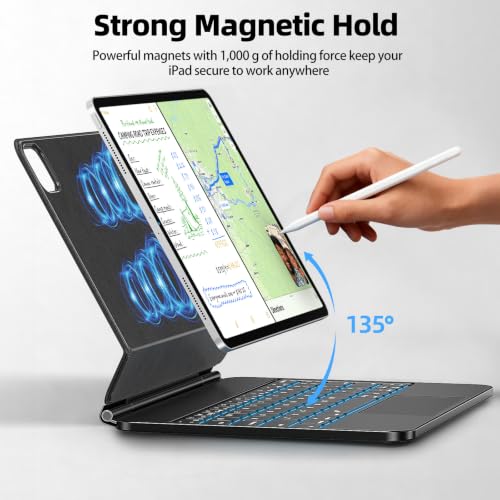
✓Easy-Set Magnetic Stand for Tablet Case with Keyboard: This tablet case with keyboard lets you magnetically attach your iPad to it, and set up the floating stand in one move. It turns your iPad into a laptop-like device in seconds—perfect for productivity on the go, whether traveling, working or studying.
✓Precision Trackpad & iPadOS Shortcuts for iPad Magic Keyboard: This iPad Magic Keyboard comes with a built-in precision trackpad, supporting full multi-touch gestures for fast navigation and enhanced productivity. It also features a full row of iPadOS shortcuts, enabling one-tap control of brightness, volume, and music.
✓IPad Keyboard Case with 7-Color Backlit & Long Battery Life: Type effortlessly all day! This iPad keyboard case features a 7-color backlit keyboard with 3-level brightness adjustment, delivering clear visibility in any setting for comfortable typing day and night.
✓Enhanced Protection & Premium Build: This 11-inch iPad case with keyboard features premium aluminum alloy, Lightweight & Slim Design. Its sturdy keyboard base and vegan synthetic leather offer unbeatable protection against wear, bumps, and drops. Precise cuts ensure full port access, blending sleek durability with robust protection and portability.
✓Bluetooth Keyboard Pairing & Connection Steps: 1. Turn on Keyboard Case for iPad → Red power light stays on 3s then off. Keyboard activated. 2. Press FN + | together → Enter pairing mode (white light flashes 1x/sec). 3. Enable tablet Bluetooth → Search & select “BT5.0 Keyboard”(auto/manual). Tap to connect. (Pre-paired tablets: No re-pairing needed. Auto-reconnects on power-on.)
⚙️ Specifications
Brand
KCISM
Compatible Devices
Tablet
Connectivity Technology
Bluetooth
Keyboard Description
Multimedia
Recommended Uses For Product
Everyday Use
Special Feature
Backlit
Color
Gray
Material
Polyurethane (PU) Acrylonitrile Butadiene Styrene Aluminum Epoxy board
Model Name
PB-AA
Power Source
Battery Powered
Additional Features
Backlit