Find any Amazon.com product's deals and best prices with our free Amazon deal finder and price tracker. Simply paste the product link (URL) or search by name in the box above. You'll get full product information, Deal Score, and all current deals. Shop smarter with the best Amazon deals finder in the USA.
x
Sorry, Something went wrong!

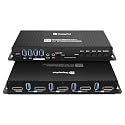
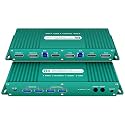
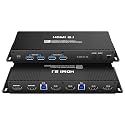
Kvm Switch displayport hdmi 4k 240hz hotkey Switching 2 Computers 2 Monitors Switch Hotkey Switching Dual Monitor kvm Switches displayport hdmi 1440P 144Hz 165Hz 240hz FreeSync G-SYNC
✅ In stock
F
Grade
Analysis Confidence
100%
⚠️ Price may have changed. Last updated 24+ hours ago — confirm on Amazon.
Check Deal at Amazon
Price verified Oct 12, 2026 5:18 PM · Prices & availability subject to change
Is This a Good Price on Amazon?
💤 Not a Deal- 💤Verdict: Not a Deal. Price is at or above historical norms. Best to wait for a sale.
- 💰At 59% above its usual rate, this is currently priced higher than what most shoppers have paid.
- 📉This is the most affordable price seen in roughly three months — a solid near-term opportunity.
- ➡️Pricing has held fairly steady, with no strong push in either direction.
How We Scored This Deal
Price Competitiveness
0/28
Recent Value
0/22
Market Standing
0/20
Deal Strength
7/20
Momentum
4/10
📝 Product Overview
🏪 Sold by
SXL US
📦 Fulfillment
Fulfilled by Amazon
🚚 Shipping
Free Shipping
Product Details
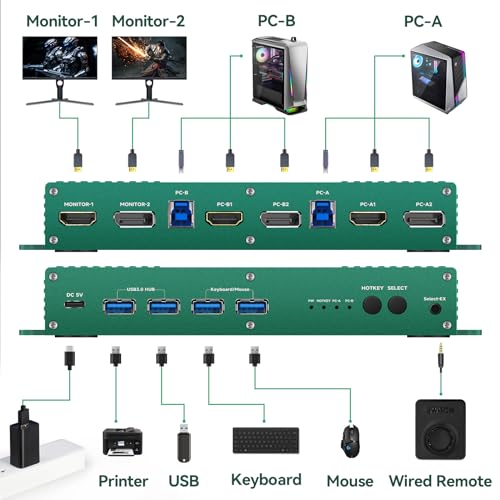
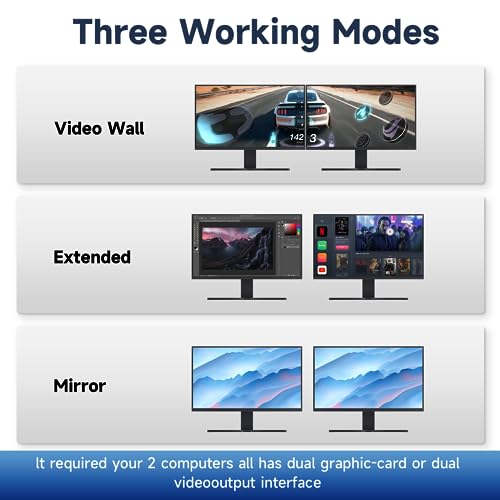
✓kvm switch 2 monitors 2 computers displayport and hdmi 4k 144hz compatable: This displayport kvm switch dual monitor 2 computer 144hz helps you to Hook up 2 computers to share one set of keyboard, mouse with hotkey,and there are three modes ,videowall,dual extended or mirrored monitors, with 1 extra high speed USB 3.0 hub port for sharing USB peripheral; Perfect for IT specialist, gaming(with high Frame), and other multi tasks,
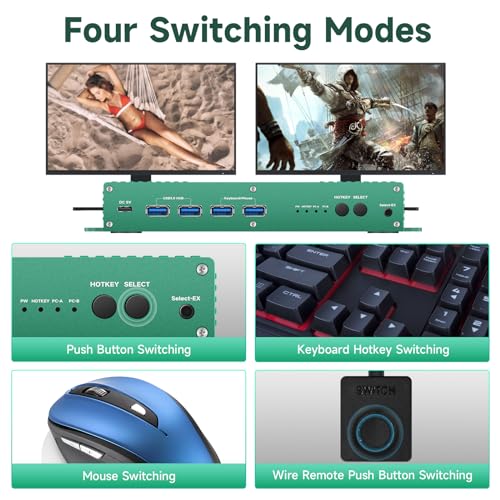
✓kvm display port hdmi 4k 144hz SWITCH Mode: the Dual Monitor kvm Switch displayport 4k 144hz Supports Four switching methods to meet with different needs, including keyboard hotkeys, mouse hotkeys, push button, wired remote ; switching only takes several seconds after first set-up;
✓kvm Switch 2 Monitors 2 Computers displayport 4k 240hz COMPATABILITY: the Kvm switch 2 monitors 2 computers Display port 4k 240hz supports most major operation systems like Windows, Linux, Mac and more; also support switch between devices without keyboard and mouse like DVR and NVR; Support webcam, speaker / headphone and microphone;
✓dual monitor kvm switch dp hdmi Switching Mode: the Dual Monitor kvm Switch dp hdmi edid 4k 144hz Supports four switching methods to meet with different needs, including, push button, wired remote ; switching only takes several seconds after first set-up;
✓Attention : the powered HDMI to DP adapters are support; This dp KVM switch Dual monitor 2 computer cannot support EDID emulation ,the dp kvm switch 2 pc two monitors can support adapters, adapters cables and docking station. You should use dp 2.0 cables when you use mode 4k 165hz,4k 144hz,5k 165hz 5k 240hz,8k 120hz ,them it will be more good quality.There is no type c to dp cable in the kvm box,If you want Type c to dp cable,please buy this
✓kvm Switch 2 Monitors 2 Computers displayport and hdmi 4k 144hz :the dp kvm switch support hotkey switching , you can use hotkey to switch between 2 computers,Right Control two times and number 1 and Enter(Right Ctrl+Right ctrl+1+Enter),you will switch to PC-A, and (Right Ctrl+Right ctrl+2+Enter) you will switch to PC-B. You can use Keyboard Hotkey (Right Ctrl+Right ctrl+B+Enter) to turn off or turn on the Beep for the dual monitor kvm switch.
✓kvm Switch displayport and hdmi 4k 240hz Hotkey Switching kvm Switch 2 Monitors 2 Computers displayport hdmi 240hz 2 computer 2 monitor switcher Dual Monitor dp HDMI switcher 1440P
⚙️ Specifications
Operation Mode
ON-OFF-ON
Current Rating
600 milliamps
Operating Voltage
5 volts
Contact Type
Normally Open
Connector Type
Displayport
Brand
Daoistek
Switch Type
Hdmi
Material
Aluminum
Item dimensions L x W x H
2.36 x 2.28 x 0.7 inches
Circuit Type
2-way
Mounting Type
Panel Mount