Microwoo Connectors & Adapters
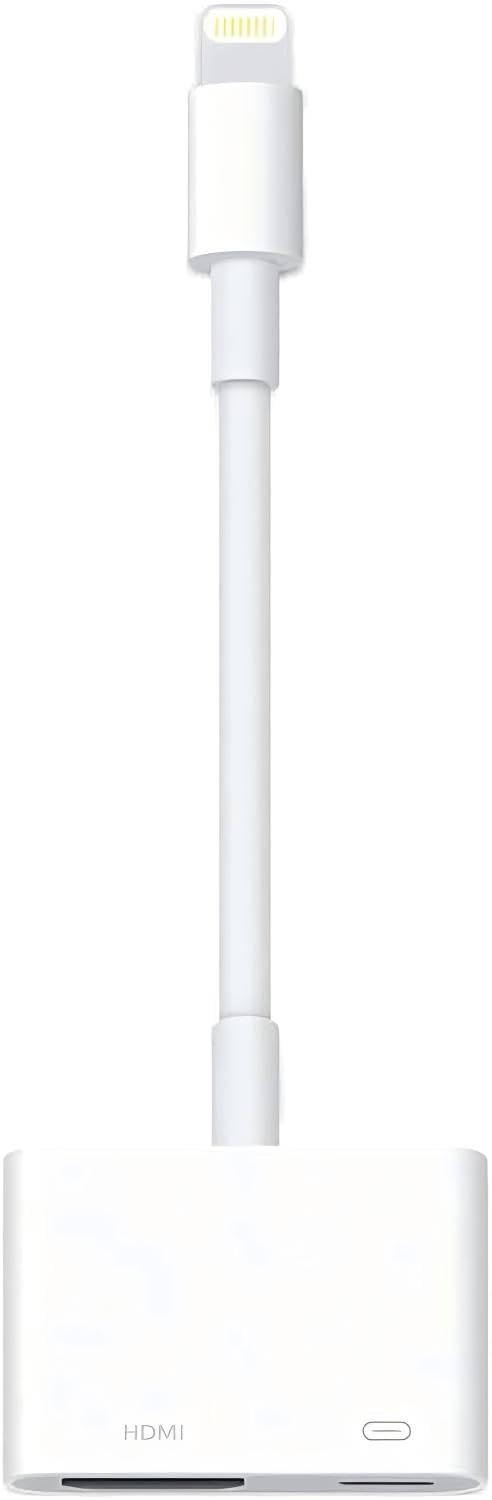
Lightning to HDMI Adapter for iPhone, [Apple MFi Certified] Digital AV Dongle, 1080P Sync Screen Cable with Lightning Charging Port for iPhone, iPad to TV/Projector/Monitor No Need Power Supply
In stock Sold by Microwoo Store Fulfilled by Amazon Free shipping
Last price we saw on Amazon
$13.99
No score yet
We've only just started checking this product's price. Its Deal Score appears after a few more checks.
The price may have changed. We last checked it over 24 hours ago, so confirm it on Amazon.
Price checked Nov 14, 2026, 7:43 AM ET. Prices and availability can change.
We may earn a commission if you buy. It never changes the price you pay.
Product overview
Sold byMicrowoo Store
FulfilmentFulfilled by Amazon
ShippingFree shipping
BrandMicrowoo
CategoryConnectors & Adapters
Key features
- 【Full 1080P HD Display】 This iPhone to HDMI adapter support mirroring of what is displayed on your device screen, including images, movies, games and including apps, presentations, websites, slide shows, and more to your HDMI-equipped TV, display, projector, or other compatible display in resolutions up to Full High Def (1080p). Small & portable, easy to put in.
- 【Note】This HDMI Digital AV Connector is compatible with YouTube, IDMB, Quickflix, Family On TV, ABC, NBC, FOX, Microsoft Office, and videos saved on your iPhone. (But NOT compatible with Netflix, Amazon video, HBO go, HULU, SKY Q, Honda motor, and some APPs which have "HDCP" video copyrights protection.)[Seamless Support: Confirming device compatibility? Ask us pre-purchase. Experiencing lag/black screen? We offer remote diagnostics and tailored solutions.]
- 【Plug and Play No Power Needed】 No need for any setting.No need to install any drivers/apps or use personal hotspots or WiFi. Easy to use, Just connect the adapter with an HDMI cable (Sold separately) to the TV, wait about 6-10 seconds click the "Trust" button on your iPhone, and connect automatically.
- 【Lightweight Design】The Apple HDMI adapter is lightweight and durable with a compact design, making it easy to carry in your bag wherever you go.
Specifications
| Specific Uses For Product | Projector,Tv |
|---|---|
| Connector Type | HDMI, Lightning |
| Color | White |
| Brand | Microwoo |
| Number of Ports | 2 |
| Input Voltage | 5 volts |
| Current Rating | 1 A |
| Power Plug Type | No Plug |
| Finish | Projector |
| Warranty Type | Lifetime |
| Item Weight | 0.02 kg |
| Package Quantity | 1 |
Other versions of this product
Other sizes, colours, models and bundles, with today's price.
 Lightning to HDMI Adapter for iPhone, [Apple MFi Certified] Digital AV Dongle, 1080P Sync Screen Cable with Lightning Charging Port for iPhone, iPad to TV/Projector/Monitor No Need Power Supply
$13.99
You're viewing this
 USB C to HDMI Adapter, Type C to 4K HDMI Adapter with 100W PD Multiport Digital AV Converter for MacBook Pro/air, iPad Pro/air, iPhone 15/16/17, Tablets, Switch and More USB-C Devices
$15.99
 Lightning to HDMI Adapter for iPhone, [Apple MFi Certified] Digital AV Dongle,1080P Sync Screen Cable with Lightning Charging Port for iPhone, iPad to TV/Projector/Monitor No Need Power Supply
$15.99
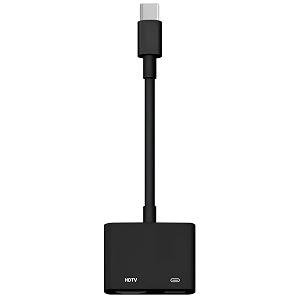 USB C to HDMI Adapter, Type C to 4K HDMI Adapter with 100W PD Multiport Digital AV Converter for MacBook Pro/air, iPad Pro/air, iPhone 15/16/17, Tablets, Switch and More USB-C Devices
$17.99