Phomemo Label Printers
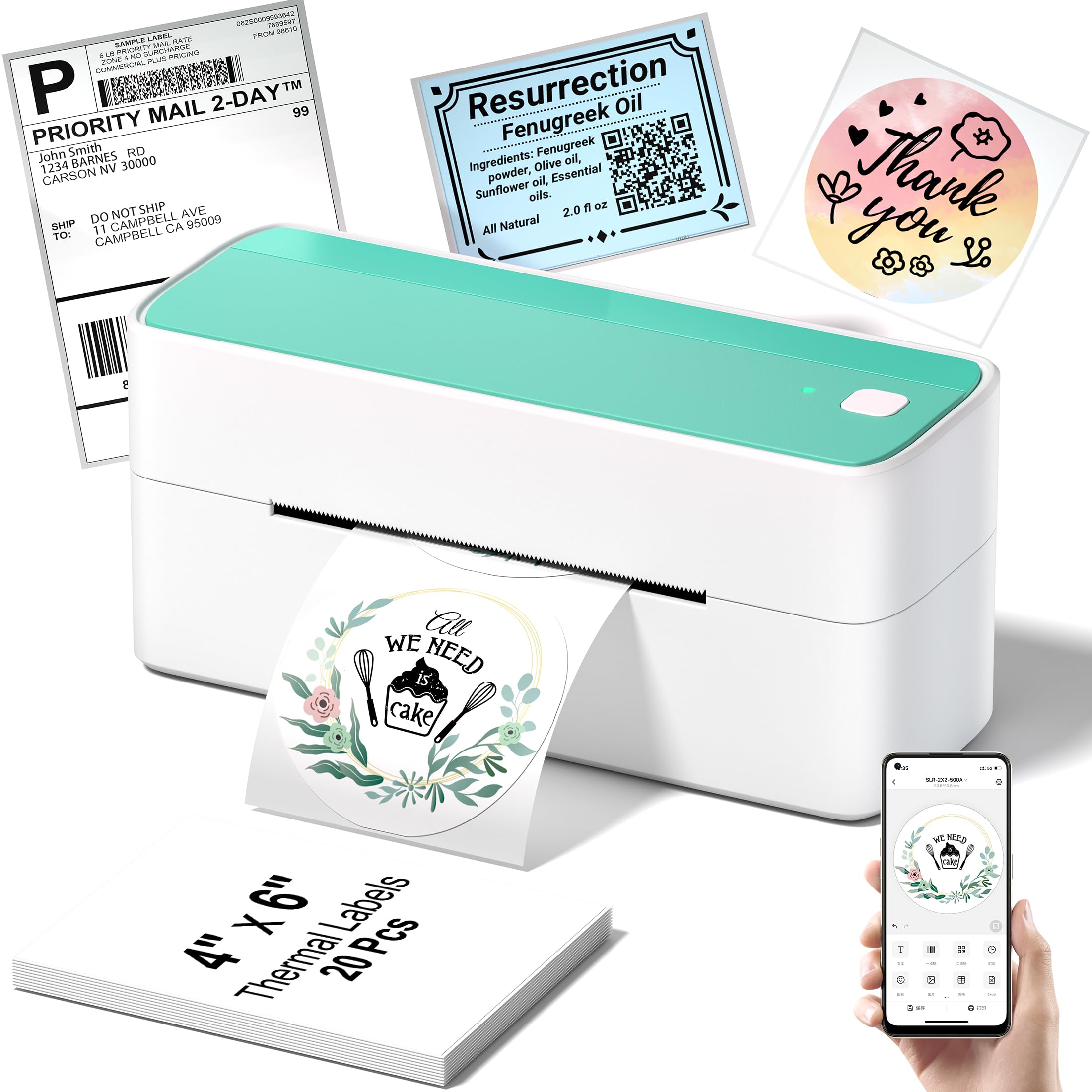
Phomemo Bluetooth Thermal Shipping Label Printer, 241BT Wireless Thermal Label Printer for Shipping Packages, Inkless Thermal Shipping Label Printer, Compatible with iPhone, Android, Green
In stock Sold by Phomemo-YQ Fulfilled by Amazon Free shipping
Last price we saw on Amazon
$72.19
List price $109.99-34%You save $37.80
38Deal Score 38 of 100
Not much of a deal
Deal Score 38 of 100: today's price for this product isn't much of a deal.
How Deal Score worksThe price may have changed. We last checked it over 24 hours ago, so confirm it on Amazon.
Price checked Nov 19, 2026, 12:43 PM ET. Prices and availability can change.
We may earn a commission if you buy. It never changes the price you pay.
Product overview
Sold byPhomemo-YQ
FulfilmentFulfilled by Amazon
ShippingFree shipping
BrandPhomemo
CategoryLabel Printers
Key features
- [Print Via Bluetooth] - Phomemo bluetooth shipping label printer supports wireless printing through bluetooth connection. For IOS and Android mobile Phone, need to download the "labelife " APP from Apple Store or Google Play. With easy and simple operations, you can easily print your logo, labels, and more, making your life more convenient! Note: All devices cannot be directly connected to Bluetooth and need to be used through the app
- [Commercial and Home Use] -Phomemo label printer utilizes advanced thermal direct technology for printing, eliminating the need for expensive toner or ink. With a printing speed of 150 mm/s, the printer can produce up to 72 sheets of 4x6 labels per minute. For long-term savings, Phomemo thermal labels that are engineered to resist fading and smudging, ensuring your labels stay readable and professional .
- [Professional Team] - Phomemo support team provides technical support, including live chat, phone calls, emails even remote desktop operation. If you have any questions or concerns about our Bluetooth shipping label printer, please don't hesitate to let me konw. Phone Call: (9:00-17:00 Mon-Fri EST) Email/ Live Chat: (20:30-5:30 Mon-Fri EST)
- Phone and Tablet Start Print - Step 1: Download the App 'Labelife'. Step 2: Turn on the 241BT printer and your phone's or tablet's Bluetooth. Step 3: Click the 'Printer' icon in the App to search for the 241bt label printer, connect it via Bluetooth in the App, and select the paper size and file type to start printing
Show all 5 featuresShow fewer
- Laptop/PC Starts Printing - Step 1: Please check your laptop/PC's operating system (OS) and download and install the correct 241BT driver from the website (labelife.net/pm241). Step 2: Use the USB data cable to connect the 241bt printer to your computer. Step 3: Select and open your document, and choose 241bt from the printer list.
Specifications
| Brand | Phomemo |
|---|---|
| Connectivity Technology | USB |
| Printing Technology | Thermal |
| Color | Green |
| Model Name | printer 01 |
| Printer Output | Monochrome |
| Max Printspeed Monochrome | 66 pages_per_minute |
| Item Weight | 1.3 kg |
| Maximum Media Size | 4 x 6 inches |
| Print media | Labels |
| Max Input Sheet Capacity | 50 |
| Max Copy Speed (Black & White) | 66 ppm |
Other versions of this product
Other sizes, colours, models and bundles, with today's price.
 Phomemo Bluetooth Thermal Label Printer, 241BT Label Printer & 20Pcs Labels
$66.48
 Phomemo Bluetooth Shipping Label Printer,241BT Label Printer & 20Pcs Labels
$75.99
 Phomemo Bluetooth Thermal Label Printer, 241BT Label Printer & 20Pcs Labels
$75.99
 Phomemo Bluetooth Thermal Label Printer, 241BT Label Printer & 20Pcs Labels
$75.99
 Phomemo Bluetooth Shipping Label Printer,241BT Label Printer & 20Pcs Labels
$69.99
 Phomemo Bluetooth Thermal Shipping Label Printer, 241BT Wireless Thermal Label Printer for Shipping Packages, Inkless Thermal Shipping Label Printer, Compatible with iPhone, Android, Green
$72.19
You're viewing this
 Phomemo Bluetooth Thermal Label Printer, 241BT Label Printer & 20Pcs Labels
$75.99