Find any Amazon.com product's deals and best prices with our free Amazon deal finder and price tracker. Simply paste the product link (URL) or search by name in the box above. You'll get full product information, Deal Score, and all current deals. Shop smarter with the best Amazon deals finder in the USA.
x
Sorry, Something went wrong!
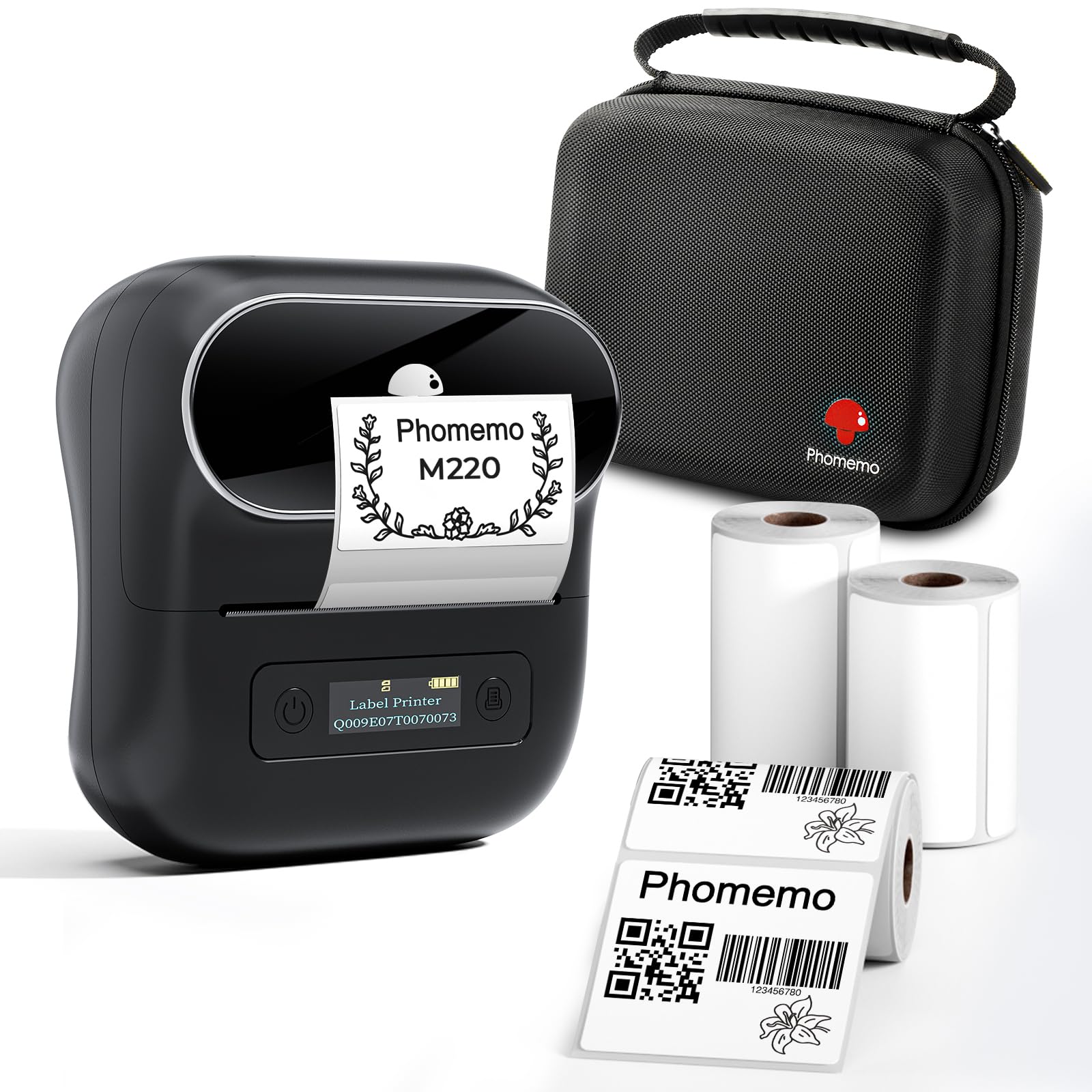


Phomemo Label Maker, M220 Thermal Label Printer
✅ In stock
F
Grade
Analysis Confidence
55%
⚠️ Price may have changed. Last updated 24+ hours ago — confirm on Amazon.
Check Deal at Amazon
Price verified Oct 16, 2026 9:58 PM · Prices & availability subject to change
Is This a Good Price on Amazon?
💤 Not a Deal- 💤Verdict: Not a Deal. Price is at or above historical norms. Best to wait for a sale.
- 💰The price is modestly below what this product ordinarily sells for.
- 🏷️A 27% cut from the official retail price adds further appeal.
- 📉Better-priced windows have occurred before, though not frequently — today's price is reasonably competitive.
- 📈Prices have been moving higher lately — waiting risks paying more if that momentum continues.
How We Scored This Deal
Price Competitiveness
2.83/28
Recent Value
2.55/22
Market Standing
1.67/20
Deal Strength
3/20
Momentum
0/10
📝 Product Overview
🏪 Sold by
Phomemo-YQ
📦 Fulfillment
Fulfilled by Amazon
🚚 Shipping
Free Shipping
Product Details
✓Ultra-Portable Design: The Phomemo M220 label maker is compact and lightweight, featuring stable Bluetooth technology for easy printing from smartphones and tablets using the "Print Master" app. The label maker support print thermal label width rang from 0.78'' to 3.14'', NOT support print 4 x 6 shipping labels,Charging with 5V 2A, Don't use the charger that output above 5V
✓Inkless and Cost-Effective: Utilize upgraded thermal technology for inkless printing, eliminating the need for ink, toner, or ribbons, and reducing costs compared to traditional label printers.
✓Versatile Compatibility: The M220 label maker is compatible with Android, iOS, iPad, Windows 10/11, and Mac, making it suitable for both mobile and desktop use in various settings like home, office, and small businesses.
✓User-Friendly Operation: Simply download the "Print Master" app, connect via Bluetooth, and start creating labels with the M220 thermal printer. For PC users, download the driver from the Phomemo website for seamless printing.
✓Diverse Applications: Print text, barcodes, QR codes, images, addresses, and more with the "Print Master" app, which offers a vast library of icons and templates to simplify label creation.
✓The Label Maker Complete Package - The box includes one Phomemo M220 label maker machine black, one M220 label maker storage case, an instruction manual, a USB data cable, one roll 40mm x 30mm thermal labels, one roll 60mm x 40mm thermal labels, one roll 70mm x 80mm thermal labels.
✓Phone and Tablet Start Printing - Step 1: Download the App 'Print Master'. Step 2: Turn on the M220 label maker and your phone's or tablet's Bluetooth. Step 3: Click the 'Printer' icon in the App to search for the M220 portable label printer, connect it via Bluetooth in the App, select the label size, and edit the content to start printing
⚙️ Specifications
Brand
Phomemo
Connectivity Technology
Bluetooth, USB-Type-C
Printing Technology
Thermal
Special Feature
Portable
Color
Black
Model Name
M220
Printer Output
Monochrome
Max Printspeed Monochrome
40 pages_per_minute
Item Weight
450 g
Product Dimensions
2.4"D x 4.9"W x 4.6"H
Printer Type
Thermal


