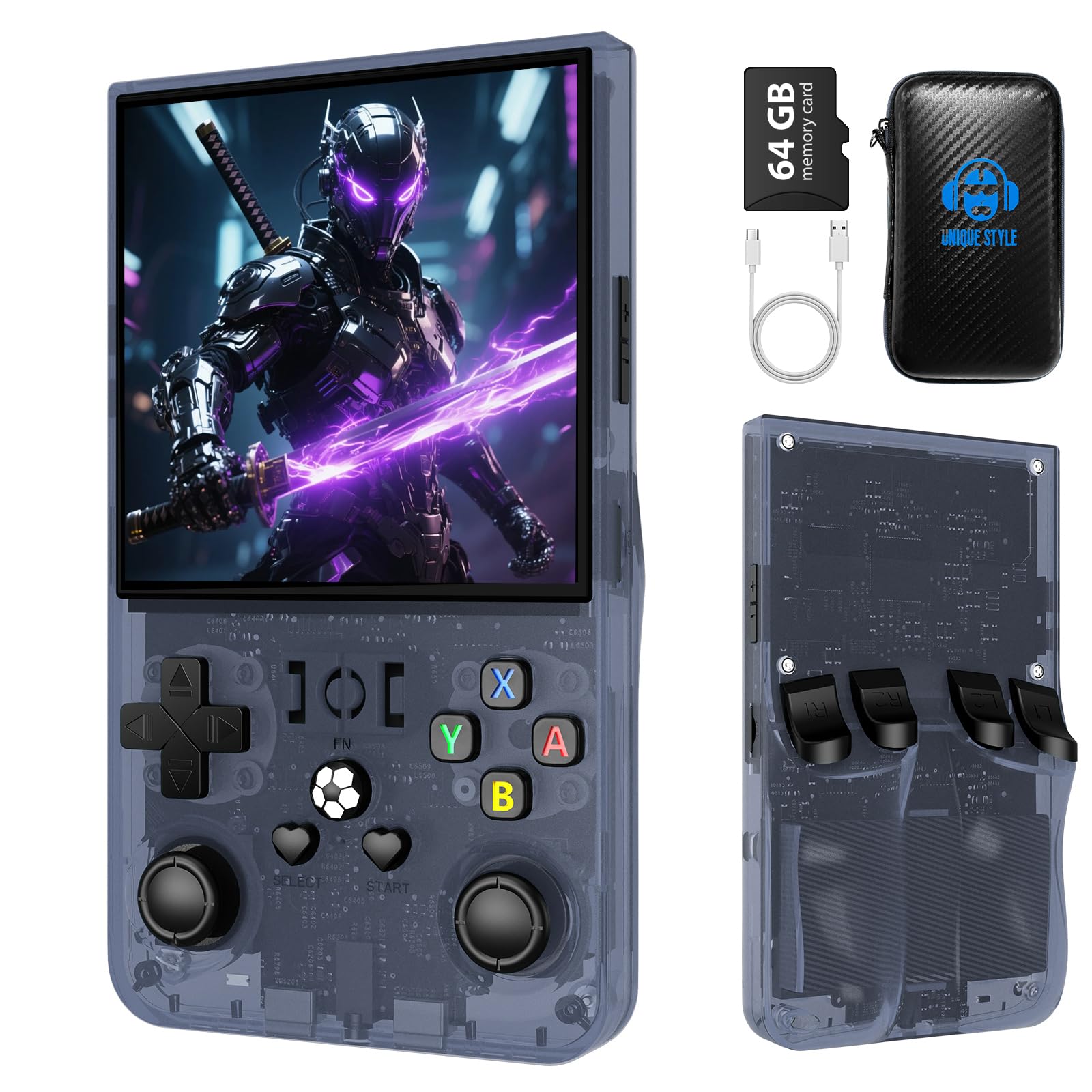
R36MAX Retro Handheld Game Console, 4.0 Inch Retro Gaming Console with 64GB Memory,Portable Video Games Console,Open Source Linux System Hand Held Game Console, 4000mAh Battery(Gray)
In stock Sold by chongyixianhongjingyuanlinyouxiangongsi Fulfilled by Amazon Free shipping
Last price we saw on Amazon
$59.99
No score yet
We've only just started checking this product's price. Its Deal Score appears after a few more checks.
The price may have changed. We last checked it over 24 hours ago, so confirm it on Amazon.
Price checked Jul 4, 2026, 2:20 AM ET. Prices and availability can change.
We may earn a commission if you buy. It never changes the price you pay.
Product overview
Sold bychongyixianhongjingyuanlinyouxiangongsi
FulfilmentFulfilled by Amazon
ShippingFree shipping
CategoryPlug & Play Video Games
Key features
- Stable Linux System for Reliable, Uninterrupted Play: Powered by an open-source Linux system, this handheld gaming console prioritizes stability and efficiency—key for long gaming sessions. It handles complex gameplay with ease. The Linux framework also adds a layer of security, protecting your save data and usage info, so you can focus entirely on gaming without worrying about glitches disrupting your fun.
- 64GB Storage for Instant, Hassle-Free Gaming: With 64GB of storage, the R36MAX portable game console has more than enough space to hold its entire library of games—no extra setup needed. Unbox it, turn it on, and dive straight into gameplay, no waiting to download or transfer files. The storage is also optimized for fast loading times, cutting down on the “wait screen” between levels or game launches, so you spend more time playing and less time waiting.
- If you encounter a screen rotation issue in the game, please try the following steps : 1. Enter any game, Select + X, press "B" to return, you will enter the RetroArch menu, as shown in figure 1, enter the settings option, "A" is the confirmation key, "B" is the return key; 2.Go to Settings - Select "Video". 3. Select "Output". 4.Select "Video Rotation" 5. Select "Normal".
Specifications
| Number of Batteries | 1 D batteries required. (included) |
|---|
Other versions of this product
Other sizes, colours, models and bundles, with today's price.
 R36MAX Retro Handheld Game Console, 4.0 Inch Retro Gaming Console with 64GB Memory,Portable Video Games Console,Open Source Linux System Hand Held Game Console, 4000mAh Battery(Gray)
$59.99
You're viewing this
 R36MAX Retro Handheld Game Console,128GB Open Source System Hand Held Game Console,4.0 Inch IPS Screen Retro Gaming Console,4000mAh Battery,Portable Video Game Console(Red)
$79.99