Find any Amazon.com product's deals and best prices with our free Amazon deal finder and price tracker. Simply paste the product link (URL) or search by name in the box above. You'll get full product information, Deal Score, and all current deals. Shop smarter with the best Amazon deals finder in the USA.
x
Sorry, Something went wrong!



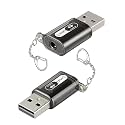
USB to 3.5mm Jack Audio Adapter, External Sound Card with Mic
✅ In stock
F
Grade
⚠️ Price may have changed. Last updated 24+ hours ago — confirm on Amazon.
Check Deal at Amazon
Price verified Oct 10, 2026 3:06 AM · Prices & availability subject to change
Is This a Good Price on Amazon?
💤 Not a Deal- 💤Verdict: Not a Deal. Price is at or above historical norms. Best to wait for a sale.
- ➡️Pricing has held fairly steady, with no strong push in either direction.
How We Scored This Deal
Price Competitiveness
0/28
Recent Value
0/22
Market Standing
0/20
Deal Strength
0/20
Momentum
0/10
📝 Product Overview
🏪 Sold by
BORONSEN
📦 Fulfillment
Fulfilled by Amazon
🚚 Shipping
Free Shipping
Product Details
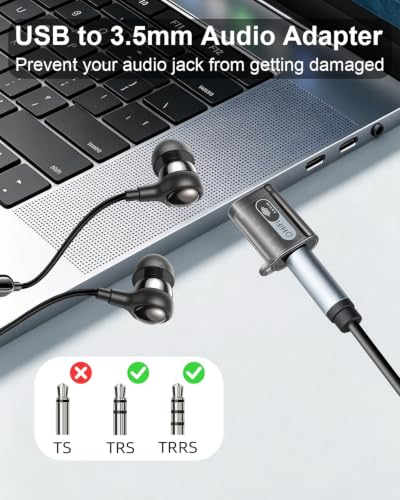
✓2 IN 1 AUDIO + MIC: This usb audio adapter adds a 3.5mm TRRS port for both listening and talking.Whether you're joining a virtual meeting, recording a voiceover, or enjoying late night music sessions, this single port handles both incoming stereo audio and outgoing microphone signals simultaneously. No more juggling between separate input and output jacks just one compact adapter that consolidates all your audio needs into a single, convenient connection point,making it perfect for ultrabooks,desktop PCs, and gaming consoles that lack dedicated audio ports
✓24BIT/96KHZ SOUND:The usb to 3.5mm jack audio adapter features a built in DAC chip that delivers studio grade resolution, supports 24 bit/96kHz audio output, and simulates a 2.1 stereo soundstage, resulting in crisp treble, solid bass and authentic, full bodied vocals. The advanced decoding chip effectively suppresses background noise and interference, ensuring that every detail is captured clearly whether you’re listening to music, watching films, playing games or attending meetings and reproducing sound exactly as it was intended
✓LED Indicator & Full Inline Control Support: The transparent casing, combined with a green indicator light, makes the operating status immediately apparent. Some audio jack to usb adapters only transmit audio, leaving your headset's control buttons useless. Our usb aux adapter fully supports TRRS inline control functionality. Whether you want to skip a track, adjust the volume, or quickly mute yourself during a meeting, simply press the buttons on your headset no need to reach for your computer. Plug and play: no drivers or software required
✓WIDE COMPATIBILITY: This external sound card is compatible with any system that supports standard USB audio, including Windows, Mac OS X, Linux and more. In terms of audio peripherals, it supports TRRS 4 pole headphones (compatible with CTIA and OMTP standards). Whether you’re recording a podcast in your home studio, or attending a Zoom meeting at the office, this headphone to USB adapter allows you to switch freely between all your devices. Not compatible with: Headphones with two separate 3.5mm jacks for headphones and a microphone、TVs, amplifiers, CD players, cars, trucks, or other vehicles with USB ports
✓Please note: 1. One way audio transmission: This USB port is an output, not an input. Audio can only be transmitted from the USB port to the 3.5mm jack. 2. Before connecting to the monitor’s USB port, you must first connect the monitor to the host computer. On some computers, to select the audio output device, double click the ‘Sound’ icon in the Control Panel, then select ‘USB Audio Device’ as the default device.
⚙️ Specifications
Category Slug
pc
Stock State
Buyable
Compatible Devices
Desktop, Headphone
Brand
YANBORONSN
Hardware Interface
USB
Audio Output Mode
Stereo
Platform
Windows 11
Hardware Connectivity
USB
Hardware Platform
Headphone, Personal Computer
Surround Sound Channel Configuration
NO
Maximum Sample Rate
28 KHz