Find any Amazon.com product's deals and best prices with our free Amazon deal finder and price tracker. Simply paste the product link (URL) or search by name in the box above. You'll get full product information, Deal Score, and all current deals. Shop smarter with the best Amazon deals finder in the USA.
x
Sorry, Something went wrong!
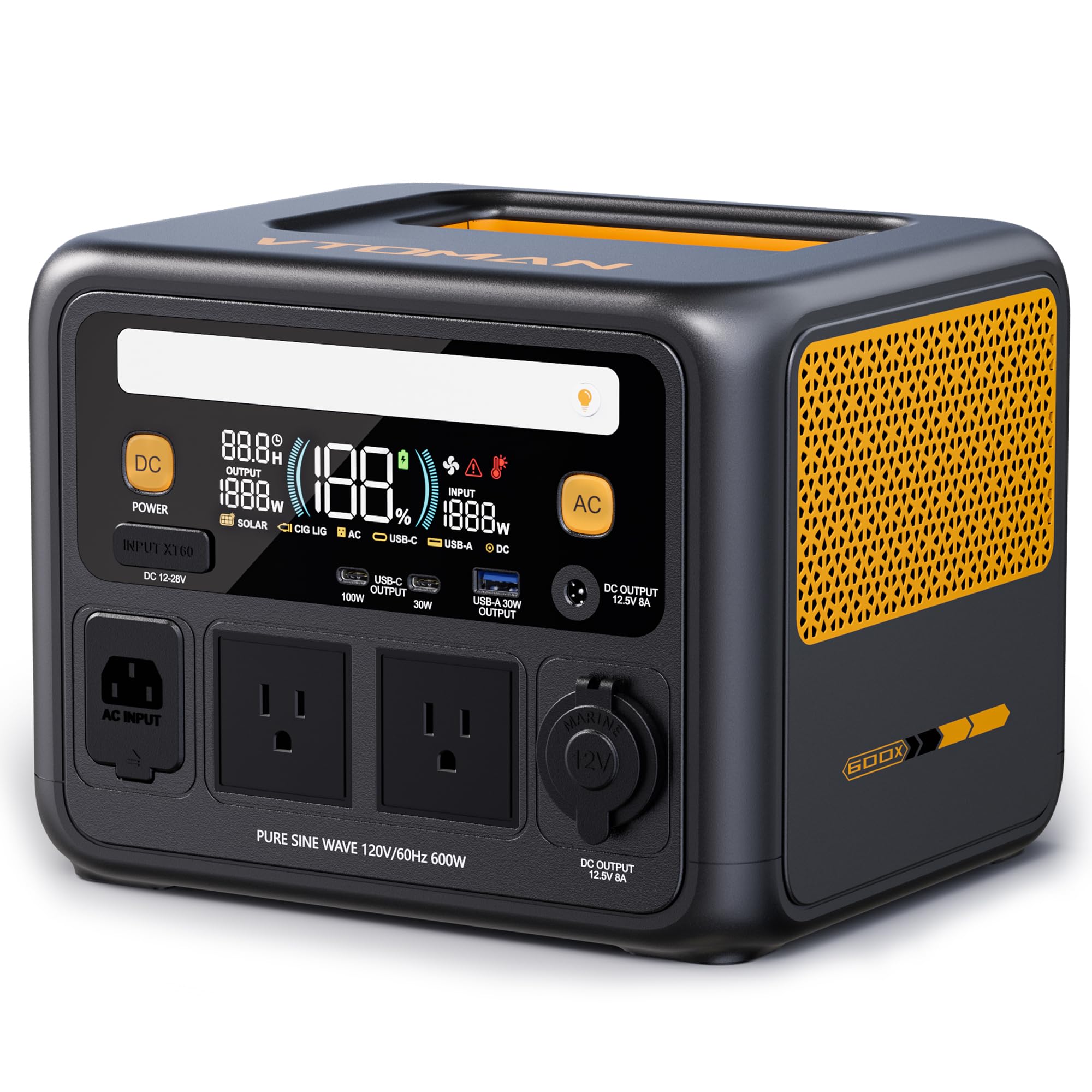

VTOMAN Jump 600X Portable Power Station 600W, 9 Ports LEP Solar Generator
✅ In stock
📉 Price recently dropped
F
Grade
Analysis Confidence
73%
⚠️ Price may have changed. Last updated 24+ hours ago — confirm on Amazon.
Check Deal at Amazon
Price verified Nov 10, 2026 1:58 AM · Prices & availability subject to change
Is This a Good Price on Amazon?
💤 Not a Deal- 💤Verdict: Not a Deal. Price is at or above historical norms. Best to wait for a sale.
- 💰The current price is slightly above the going rate for this product — worth watching for a drop.
- 🏷️A 20% cut from the official retail price adds further appeal.
- 📉Better-priced windows have occurred before, though not frequently — today's price is reasonably competitive.
- 📈The direction is downward at the moment; if that holds, an even better price may surface — though timing the market is never certain.
How We Scored This Deal
Price Competitiveness
0/28
Recent Value
0/22
Market Standing
0.77/20
Deal Strength
0/20
Momentum
10/10
📝 Product Overview
🏪 Sold by
VTOMAN-US
📦 Fulfillment
Fulfilled by Amazon
🚚 Shipping
Free Shipping
Product Details
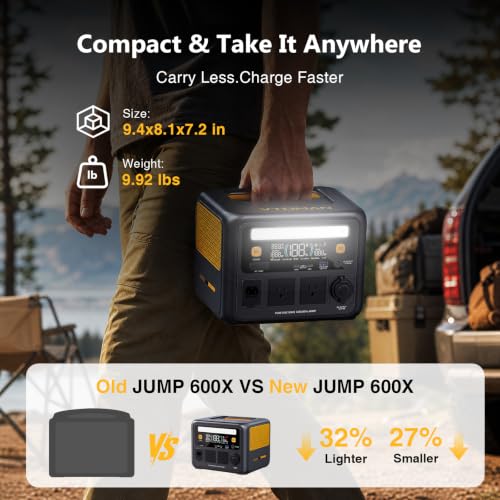
✓9.92 LB LIGHTWEIGHT, 27% SMALLER: At only 9.92 lbs and 9.4 × 8.1 × 7.2 in, the upgraded Jump 600X is about 27% smaller and 32% lighter than the previous model. This compact portable power station is easy to carry one-handed from home to the car or campsite, while the flat-top design saves packing space—ideal as a lightweight camping power supply for road trips and outdoor adventures
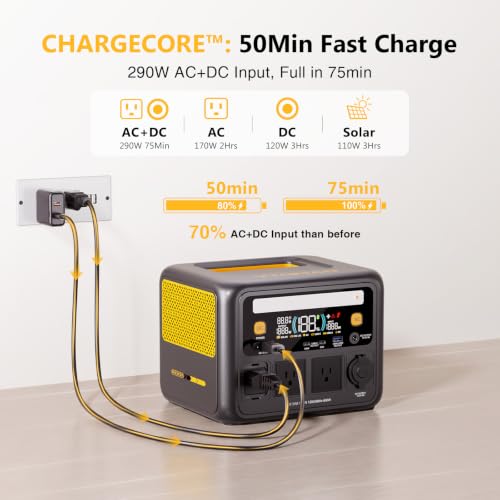
✓50-MINUTE FAST RECHARGE: Spend less time plugged in and more time off-grid. VTOMAN'S CHARGECORE supports AC + DC simultaneous charging, reaching 80% in 50 minutes and 100% in 75 minutes. The 170W AC input fully recharges in about 2 hours, while 12V car charging and up to 120W MPPT solar input give this fast-charging solar generator flexible recharge options for RV travel and off-grid power. Solar panel sold separately
✓LiFePO4 BUILT FOR YEARS OF USE: Rated for 3,000 cycles while retaining 80% capacity, the LiFePO4 battery is designed for years of dependable use. VTOMAN’s self-developed LIFEBMS provides hardware-driven, cell-level safety management with 12 built-in protections, including short-circuit and anti-spark protection—giving this long-life battery power station added confidence for daily and emergency use
✓600W CONTINUOUS POWER WITH V-BEYOND: Run laptops, lights, fans and other electronics with up to 600W continuous pure sine wave AC output. When a refrigerator compressor or power tool starts, the brief 1200W peak power helps handle the startup surge and prevent sudden shutdowns. Using several devices together? Keep their combined rated load within 600W for stable power—ideal for RV appliances and power tools
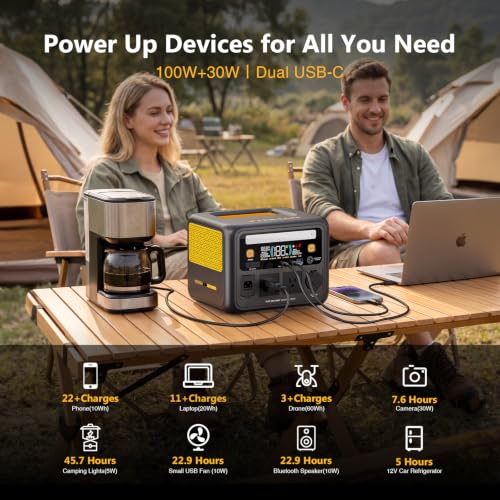
✓100W USB-C LAPTOP FAST CHARGING: The upgraded 100W USB-C PD port delivers 67% more power than the previous 60W port for fast charging compatible laptops. A second 30W USB-C port and 30W USB-A port let you charge phones, tablets, cameras and other devices at the same time, turning Jump 600X into a practical laptop power supply for remote work, business travel and mobile offices
✓USER Guide – 1. Power On: Press and hold the DC button for 2 seconds;2. DC/USB Output: After power-on, short press the DC button again to enable the DC, USB-A, and USB-C outputs;3. AC Output: Short press the AC button to enable the AC output;4. LED Light: Press the yellow light button to turn on the light. Short press to cycle through the 5 lighting modes. Press it a sixth time to turn the light off;5. Power Off: Press and hold the DC button for 2 seconds
⚙️ Specifications
Brand
VTOMAN
Wattage
600 watts
Fuel Type
Electric
Power Source
Battery Powered
Recommended Uses For Product
Camping, Residential
Item Weight
9.9 pounds
Voltage
120 volts
Output Wattage
1200 watts
Special Feature
Digital Display, Lightweight
Included Components
1x 12V Car Charging Cable, 1x AC Charging Cable, 1x Jump 600X Portable Power Station, 1x USB-C to USB-C cable, 1x User Guide
Additional Features
Digital Display, Lightweight


