Find any Amazon.com product's deals and best prices with our free Amazon deal finder and price tracker. Simply paste the product link (URL) or search by name in the box above. You'll get full product information, Deal Score, and all current deals. Shop smarter with the best Amazon deals finder in the USA.
x
Sorry, Something went wrong!


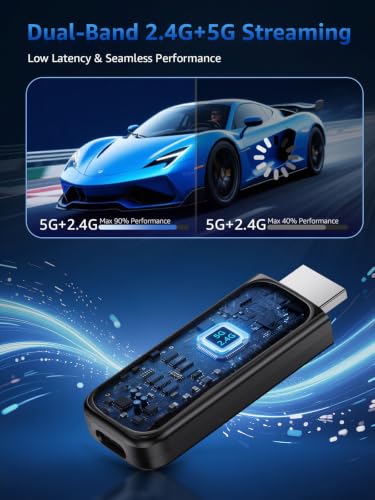
Wireless HDMI Display Dongle Adapter,4K Decode 1080P@60Hz Portable Receiver
✅ In stock
F
Grade
⚠️ Price may have changed. Last updated 24+ hours ago — confirm on Amazon.
Check Deal at Amazon
Price verified Sep 13, 2026 10:40 AM · Prices & availability subject to change
Is This a Good Price on Amazon?
💤 Not a Deal- 💤Verdict: Not a Deal. Price is at or above historical norms. Best to wait for a sale.
- ➡️Pricing has held fairly steady, with no strong push in either direction.
How We Scored This Deal
Price Competitiveness
0/28
Recent Value
0/22
Market Standing
0/20
Deal Strength
0/20
Momentum
0/10
📝 Product Overview
🏪 Sold by
Mingyuze-US
📦 Fulfillment
Fulfilled by Amazon
🚚 Shipping
Free Shipping
Product Details
✓4K Decoding & 1080P Full HD Output: Enjoy clear, vivid visuals with 4K decoding and 1080P/60Hz Full HD output. This wireless HDMI display dongle adapter is ideal for home movies, online content, gaming, and office presentations. Incompatibility App: Due to HDCP copyright restrictions, Netflix, hulu, Amazon Prime videos, Chromecast TV, HBO GO, Honda motor, Vudu, DIRECTV, Xfinity, Skygo, BT sport, Comcast TV
✓Plug & Play: Simply connect the wireless HDMI display adapter to your TV, projector, or monitor, then turn on the casting function on your phone, tablet, or laptop. No app, Bluetooth, or Wi-Fi setup is required. (Tips: Your laptops and tablets can only function as transmitters to send a signal, not as receivers to display content from another device.)
✓Stable Transmission, Low Latency: Featuring 2.4+5GHz dual-band antennas, the screen mirroring wireless HDMI adapter ensures stable transmission and video decoding. It boasts a transmission distance of up to 32 feet/10 meters and an low latency of only 100ms
✓Cross-Platform Compatibility: Weighing only 0.1 lbs, this portable Wireless HDMI Dongle Adapter supports Airplay for Apple IOS and MAC systems and Miracast for Android and Windows systems, making it perfect for travel, business meetings, and creative work
✓Pre-Connection HDMI Interface Tip:Please check your TV/monitor has an HDMI port that supports receiving external signal sources before use. HDMI OUT ports cannot receive signals, which will result in no picture or audio if connected to this casting adapter
✓Tips: If you encounter a black screen when using iPhone 17, perform a firmware upgrade following these steps: Triple-press the receiver button to bring up the SSID. Connect your iPhone to this SSID and visit 192.168.203.1 in a browser. Choose the first option to link to your home Wi-Fi, reconnect your phone to the receiver’s SSID, revisit the address, confirm the upgrade, and wait for the process to finish.
⚙️ Specifications
Brand
SUNMENCO
Connectivity Technology
HDMI
Connector Type
HDMI
Resolution
4k
Supported Internet Services
YouTube
Controller Type
Button Control
Color
Black
Product Dimensions
0.8"L x 0.3"W x 2.4"H
Item Highlight
HDMI Wireless Extender Plug & Play Screen Mirroring for iPhone/iPad/Macbook to TV/Monitor/Projector Support AirPlay Miracast
Special Feature
4K Decoding, 1080P@60Hz Output, Wireless HDMI, AirPlay, Dual-Band WiFi, Plug & Play
Form Factor
TV Stick

